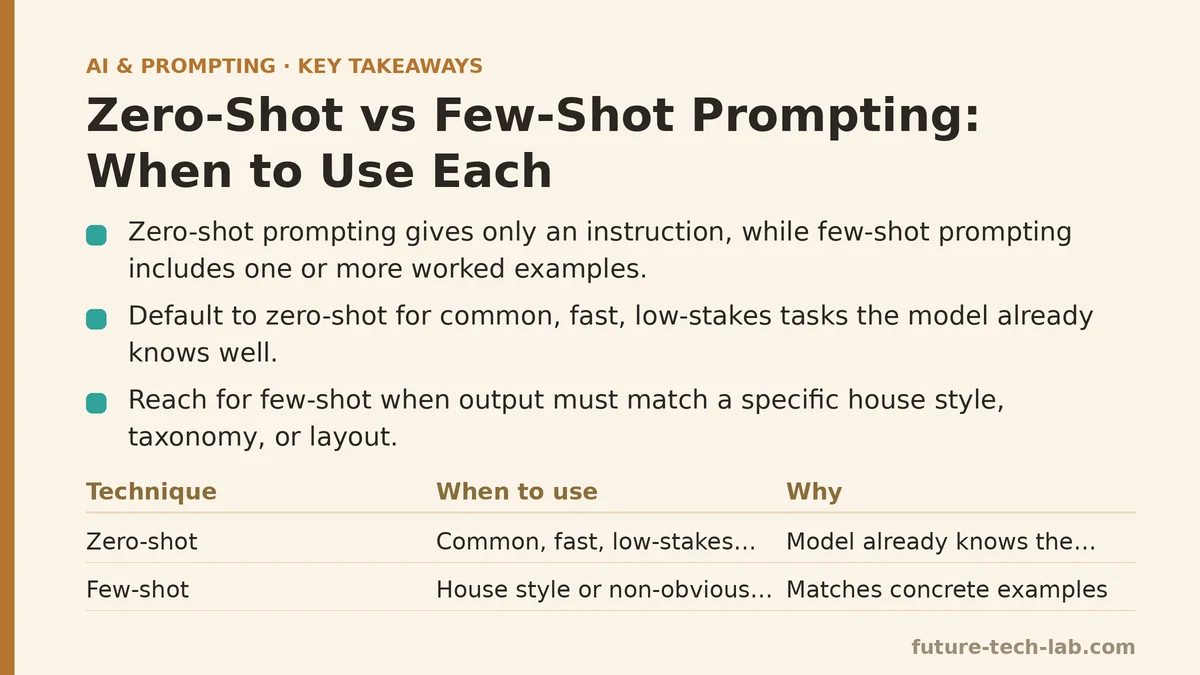
Zero-shot prompting means asking a model to complete a task with no examples included in the prompt — just an instruction. Few-shot prompting means giving it one or more worked examples of the input-output pattern you want before asking it to do the same thing on new input. That’s the entire technical distinction. Everything else is about knowing which one to reach for, and that’s the part nobody explains clearly enough to be useful on a Tuesday afternoon when you have twelve tasks queued up.
I run a small content operations team, which means I’m not writing prompts for fun — I’m writing them because they need to produce usable output fast, over and over, without me babysitting each one. Zero-shot and few-shot aren’t competing techniques in that context. They’re tools for different stages of a task, and mixing them up is one of the most common reasons a prompt that worked yesterday suddenly produces junk today.
Here’s a sequence to decide which one a given task needs.
Step 1: Ask whether the task has a “correct shape” or just a “correct answer”
Before touching either technique, figure out what kind of task you’re dealing with. Some tasks have one reasonable output format and the model already knows it cold — summarize this, translate that, explain this concept. Other tasks have a specific, non-obvious structure that only makes sense in the context of your team, your brand, or your data — a particular tagging taxonomy, a client-specific report layout, a tone that’s idiosyncratic to your company.
If the task falls into the first bucket, you’re probably heading toward zero-shot. If it falls into the second, few-shot is going to save you rounds of correction. This one question eliminates most of the back-and-forth before you write a single word of the actual prompt.
Step 2: Default to zero-shot for anything common, fast, or low-stakes
For the bulk of daily tasks — drafting a quick email, summarizing an article, rephrasing a paragraph, answering a factual question — zero-shot is the right starting point, full stop. The model has seen millions of examples of these patterns during training, and adding your own examples adds length and setup time without adding accuracy.
I default to zero-shot for anything I need in under a minute: “Summarize this in three sentences for a non-technical stakeholder.” “Rewrite this bullet list as a short paragraph.” “Give me five subject line options for this email.” These are tasks with well-understood shapes, and a clear, specific instruction gets you there faster than building out a set of examples would.
The trap here is assuming zero-shot means vague. It doesn’t. A precise zero-shot prompt — one with context, a clear action, and stated constraints — will outperform a lazy few-shot prompt almost every time. Few-shot is not a substitute for specificity; it’s a supplement for pattern-matching that specificity alone can’t cover.
Step 3: Reach for few-shot the moment the output needs to match a house style
Few-shot earns its keep the moment your task depends on a pattern the model can’t infer from a plain description. Say you need product descriptions written in your brand’s exact voice — short, punchy, always ending with a specific call-to-action structure. You can describe that voice in a paragraph and get something in the neighborhood. Or you can show two or three real examples and get something that matches almost exactly, because the model is now pattern-matching against concrete instances instead of interpreting an adjective like “punchy.”
This is where few-shot consistently pays off: internal report formats, client-specific email templates, categorization tasks where the label definitions are fuzzy in plain English but obvious once you see three labeled examples side by side. Anything where “you’ll know it when you see it” applies to the output, show it rather than describe it.
Step 4: Choose your examples like you’re writing test cases, not decoration
A few-shot prompt lives or dies on the quality of the examples, not the quantity. Two well-chosen examples that cover the edge cases of your task will outperform five redundant ones that all illustrate the same easy case.
When I build a few-shot prompt now, I pick examples the way I’d pick test cases for a function: one straightforward case, one edge case that’s easy to get wrong, and — if the task allows it — one example of what not to do, labeled as such. For a categorization task, that might mean one item with an obvious label, one ambiguous item that could plausibly fit two categories, and a note on which category wins and why. That third example does more to correct model behavior than adding two more obvious cases ever would.
Keep examples in the same format you want the final output in. If you want JSON out, show JSON in. If you want a specific bullet structure, show that exact structure in every example, not a rough approximation of it.
Step 5: Watch for the failure signs that tell you it’s time to switch approaches
If you’ve started with zero-shot and the output keeps missing in the same specific way — wrong tone, wrong structure, wrong level of detail — that’s your signal to add examples rather than adding another paragraph of description. A useful pattern to watch for: once you’ve rewritten the same instruction three different ways with the same disappointing result, the fix is almost never a fourth rewording. It’s showing the model what I mean instead of continuing to explain it.
The reverse failure mode exists too, and it’s less talked about. If you’re maintaining a five-example few-shot prompt for a task that turns out to be pretty generic — say, a summarization task that didn’t actually need brand-specific handling — you’re paying a token and maintenance cost for structure you don’t need. Periodically test whether a stripped-down zero-shot version does just as well. If it does, cut the examples. A shorter prompt that performs identically is strictly better, since it’s less brittle when you eventually rewrite it in six months and forget why example three exists.
Step 6: For anything you’ll run more than a handful of times, build the few-shot version once and reuse it
This is the step that actually tends to change how a team works. One-off tasks don’t justify the setup cost of curating examples — write the zero-shot version, get your answer, move on. But recurring tasks, the kind that show up in your workflow weekly or daily, are exactly where a well-built few-shot template pays for itself many times over.
We keep a small internal library of few-shot prompts for our recurring categorization and formatting tasks — client update summaries, content tagging, tone-matched social captions for three different brand accounts. Building each one took maybe twenty minutes of picking good examples. What it saved was every subsequent run coming back close enough to final that nobody on the team edits it more than lightly. That twenty minutes has paid for itself dozens of times over at this point.
A Quick Way to Decide
| Situation | Use | Why |
|---|---|---|
| Common task, well-understood output shape | Zero-shot | The model already knows the pattern; examples add length without adding accuracy |
| One-off task, low stakes | Zero-shot | Setup cost of examples isn’t worth it for a single run |
| Output needs to match a specific house style or format | Few-shot | Description alone can’t capture a pattern only visible in examples |
| Task recurs weekly or more | Few-shot, saved as a template | Setup cost is paid once and recovered many times over |
| Zero-shot keeps failing the same specific way | Switch to few-shot | Repeated rewording of instructions rarely fixes a pattern problem; showing an example usually does |
If you’re not sure which category a task falls into, start zero-shot. It’s faster to test, and the way it fails will tell you exactly what a few-shot version needs to fix. Related guides: Few-Shot Prompting: How to Use Examples to Guide AI Output, Fine-Tuning vs. Prompt Engineering: When to Choose Each, and AI Prompting Techniques for Sales Teams: Personalized Outreach and Deal Follow-Ups.
🔗 Recommended Reading
- How to Build a Semantic Search Engine with Embeddings: A Beginner's Step-by-Step Tutorial
- Building Your First RAG Chatbot: A Step-by-Step Tutorial for Beginners
- Function Calling for Beginners: A Step-by-Step Tutorial to Connecting LLMs to External APIs
- Vector Databases Explained: A Beginner's Guide to Storing and Querying Embeddings
- How to Evaluate LLM Outputs: A Beginner's Step-by-Step Tutorial to Testing and Scoring AI Responses