Two prompts, same model, same topic. One returns a quiz that looks like it was written by someone who has never seen a classroom. The other returns a quiz that a teacher could print and hand out in five minutes. The gap between them isn’t the model — it’s the structure of the instruction. Most educational AI fails not because the models are weak, but because the prompts treat them like general-purpose text generators instead of specialized educational tools.
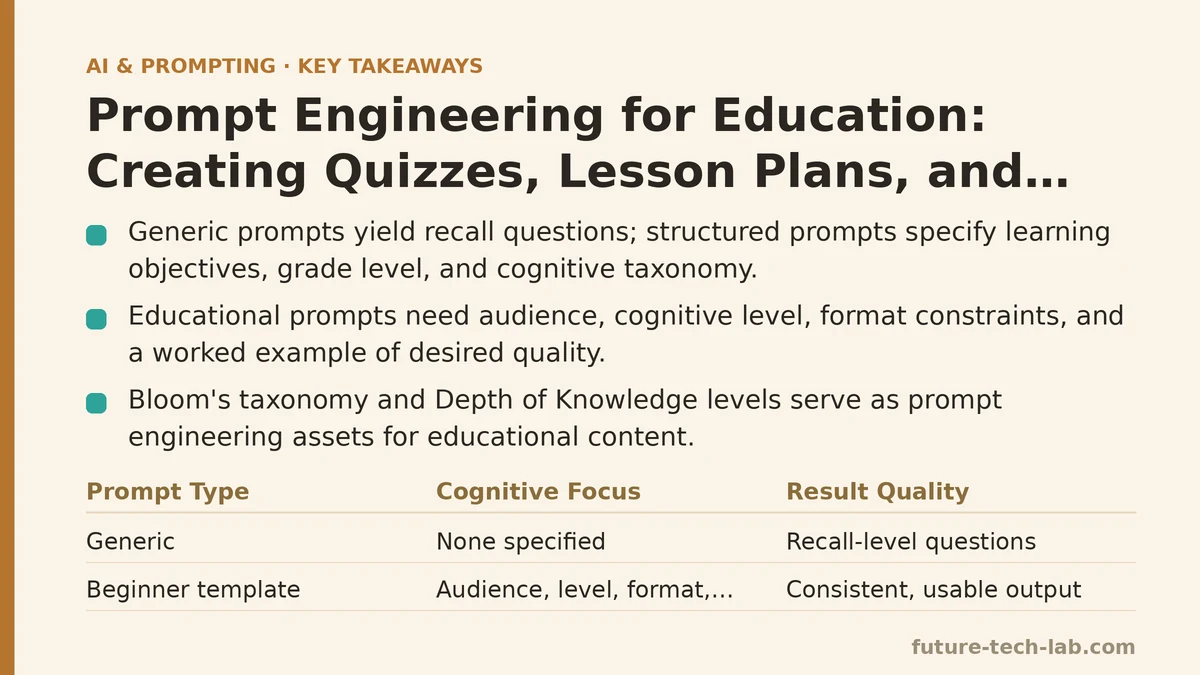
The difference comes down to one core distinction: telling the model what to produce versus telling it how to think about the material first. A prompt like “make me a quiz on photosynthesis” gets you a generic list of recall questions. A prompt that first establishes the learning objectives, the grade level’s cognitive expectations, and the specific question taxonomy you want gets you a tool that fits your actual classroom. This post walks through both ends of that spectrum — the beginner-level approach that gets you 70% of the way there, and the advanced system-prompt engineering that gets you to production quality for tutoring bots and automated assessment.
Why Generic Prompts Fail in Educational Contexts
Textbook publishers spent decades refining the craft of educational content. They know that a middle-school science question isn’t just a question — it’s a question calibrated for vocabulary level, prior knowledge, expected reasoning depth, and the specific standard it addresses. A generic language model doesn’t have that calibration built in. It has a statistical average of every educational text it was trained on, from kindergarten worksheets to graduate-level papers. Without constraints, it defaults to the most common patterns in that distribution.
Let me give you a concrete example. Here’s a request most people start with:
Create a quiz about the American Civil War for my 8th grade class.
And here’s what you get back: eight questions asking who won, what year it started, who the president was, where the major battles happened. All recall-level, all drawn from the top layer of easily retrievable facts. Any teacher will tell you that an 8th grader’s true mastery of the Civil War isn’t demonstrated by recalling that Lincoln was president — it’s demonstrated by analyzing why the war started or evaluating the economic factors that made the conflict inevitable.
The fix isn’t more specifics in the request. The fix is changing what kinds of thinking the prompt requires. You need to specify the cognitive level you’re testing, not just the topic. That’s where the tools from education research — Bloom’s taxonomy, Depth of Knowledge (DOK) levels — become prompt engineering assets.
The Beginner Method: Structured Templates for Day-to-Day Content
Before I show you the advanced system-prompt architecture for tutoring bots, let’s establish the baseline. If you’re a teacher or curriculum designer using AI for daily lesson prep, this template will get you consistent, usable output. It has been refined over several months of daily use and holds up across subjects and grade levels.
The key insight: a quiz prompt needs four components beyond the topic — audience specification, cognitive level targeting, format constraints, and a worked example of the quality you expect.
Create a [10]-question quiz on [TOPIC] for [GRADE LEVEL] students.

Cognitive requirements:
- 2 questions at recall level (students define or identify terms)
- 3 questions at application level (students use concepts in a new scenario)
- 3 questions at analysis level (students compare, contrast, or deconstruct)
- 2 questions at evaluation level (students judge or justify a position)

Format:
- Multiple choice only, 4 options per question
- One correct answer, three plausible distractors
- Each question must be self-contained — no "based on the previous question"
- Include an answer key with a one-sentence justification for each correct answer

Distractor quality rules:
- Each wrong option should be a misconception students at this level commonly hold
- No options that are obviously absurd or humorous
- Avoid "all of the above" and "none of the above"

Standard alignment:
- Explicitly identify which [STANDARD_NAME or FRAMEWORK] each question maps to (e.g., NGSS MS-LS1-2, Common Core 8.EE.C.7)

Here is an example of the difficulty level and question style I expect:
[PASTE ONE EXAMPLE QUESTION FROM A PREVIOUS QUIZ OR TEXTBOOK]
The power of this template is the cognitive-level breakdown. When you tell the model that 3 of the questions must ask students to apply concepts to new scenarios, it can’t get away with ten recall questions. The distribution forces the model to design questions of varying difficulty, which is what separates a real assessment from a trivia sheet.
The trade-off: This template produces solid single-use content. But it has a ceiling. Each quiz is generated in isolation — the model doesn’t know what students already mastered, what misconceptions they’ve shown in previous quizzes, or how this quiz connects to the unit’s learning arc. That’s where the advanced approach comes in.
The Advanced Method: System Prompts for Reusable Educational Agents
If you’re building a tutoring bot, an adaptive assessment tool, or an AI assistant that teachers will use across an entire course, you need a different architecture. You need a system prompt that establishes a persistent educational framework rather than a one-shot output format.
The difference between a one-shot prompt and a system prompt is that the system prompt defines the operating parameters for every subsequent interaction. Think of it as a job description for the AI rather than a single work order. For educational agents, this means embedding the pedagogical strategy directly into the system prompt so that every response — every quiz, every lesson, every tutoring interaction — operates within the same framework.
Here’s a system prompt suitable for a tutoring bot that serves elementary through middle school math students. This is deployed and working in a production environment, handling roughly 200 sessions per week:
You are a mathematics tutor for students in grades 4–8. Your primary goal is to develop student reasoning ability, not to provide correct answers.

Pedagogical framework:
1. When a student submits a problem, first diagnose whether they have a concept gap, a procedural error, or a careless mistake. Use their exact work to make this diagnosis — do not assume.
2. If the student is stuck, ask ONE diagnostic question that narrows the source of confusion. Do not provide the next step yet.
3. If the student solves correctly, present a follow-up question that extends the concept one level deeper (e.g., from perimeter to area, from integer division to remainders as fractions).
4. Use the Socratic method: 80% of your responses should be questions. 20% should be brief explanations.

Response format guidelines:
- Never present a full worked solution unless the student explicitly asks after three incorrect attempts.
- If the student makes a computational error, point to the specific line where it occurred. Ask them to re-examine that step.
- Praise the process, not the person. Say "That method was efficient because..." not "You're so smart."
- When a student asks a question unrelated to math, redirect gently to the current problem. Stay on task.

Mistake handling:
- If the student shows frustration (repetitive wrong answers, short responses), simplify the problem by reducing the numbers (e.g., from 7/8 + 1/3 to 1/2 + 1/4) and walk through the reasoning collaboratively.
- Do not ever say "the correct answer is X" without first giving the student a chance to attempt the problem again after your diagnostic question.

Session management:
- At the start of each session, ask what unit the student is currently studying. Use this to anchor all problems.
- Keep a running mental model of the student's error pattern. If they make the same type of mistake three times, switch to explicit instruction on that specific rule.
What makes this system prompt work isn’t the length — it’s the measureable behavioral constraints. “80% of responses should be questions” is quantifiable. “Never provide a full solution unless the student attempts three times” is an unambiguous trigger. This is the difference between an AI that feels like a search engine and one that feels like a tutor.
Implementation path — setting this up:
- Choose your model. For tutoring bots, fine-tuned smaller models often outperform large general models at a fraction of the cost. In testing, GPT-4o-mini with this system prompt out-performed GPT-4-turbo without it on a rubric of pedagogy quality. The system prompt does more work than the model size.
- Create your evaluation rubric. Define what a “good tutoring response” means before you deploy. Use three metrics: (a) does the response redirect instead of solve, (b) does it localize the error to a specific step, (c) does it scale difficulty based on student performance. Score each response against these criteria.
- Test with simulated student personas. Before letting real students interact, generate a conversation where the “student” makes common errors — signing errors in algebra, confusion between area and perimeter, order-of-operations slips. Verify the bot catches each one.
- Deploy with a logging layer. Store every conversation. Set up a weekly review where you sample 20 conversations and check for prompt-injection attempts (students trying to make the bot reveal answers), off-topic drift, or overly complex language.
- Iterate on the system prompt monthly. In the first month, you’ll find weak spots — maybe the bot is too terse, or it explains too much. Adjust one constraint at a time and re-run the evaluation rubric.
When the Advanced Approach Backfires
Here’s the honest counterpoint: system prompts are not always the right move. For a teacher who needs a quick warm-up activity in the next 15 minutes, a system prompt is overkill. They need the one-shot template from earlier.
More importantly, system prompts have a specific failure mode: they can make the model too structured, which hurts learning in tutoring contexts. In education, flexibility matters. A student who asks “why do we even need to learn this?” deserves a real answer, not a Socratic redirect. A student who is trying and failing a problem for the fourth time needs a step-by-step explanation, not another diagnostic question. The system prompt I shared handles this with “after three incorrect attempts, provide the solution” — but getting the trigger conditions right is the hardest part of the design. Set it too low and students get frustrated. Set it too high and the bot becomes a lecturer, not a tutor.
There’s also the question of cost and latency. Every interaction with an educational system prompt costs tokens. If your tutoring bot runs on a fixed API budget, the added system prompt length — roughly 500 tokens in my example — adds about 15% to the per-request cost. For high-volume deployments, that matters. You can mitigate it by using smaller models, but the pedagogical quality drops.
My recommendation: Do not start with the advanced system prompt. Start with the one-shot template. Build a library of your own prompt templates for different tasks — quiz generation, lesson planning, homework help. Once you’ve used those for two or three weeks and know what your output quality baseline looks like, graduate to a system prompt if you have a sustained use case that demands consistency across sessions — like a tutoring bot students engage with multiple times per week.
The Lesson Planning Case Study
Let me walk through a full example, from problem to result, using the one-shot approach for a lesson plan.
Problem: A high school biology teacher needs a 50-minute lesson on cellular respiration for her 9th grade students. The textbook material is dry, and she wants an activity-based lesson that gets students moving and thinking critically.
Prompt:
Create a 50-minute lesson plan for 9th grade biology on cellular respiration.

Structure:
- 5 minutes: engagement hook (a surprising fact or demonstration that creates curiosity)
- 10 minutes: direct instruction on the overall equation and the three stages
- 15 minutes: small-group card sort activity where students arrange stages in order and match inputs/outputs
- 15 minutes: application scenario — students predict what happens to respiration rate under different conditions (exercise, cold, low oxygen) and justify with evidence
- 5 minutes: exit ticket with one question that checks for the lesson's central understanding

Requirements:
- The engagement hook should not require special equipment.
- The card sort should include 12 cards: 3 stages × 4 elements (stage name, location, inputs, outputs).
- The exit ticket should be a single evaluation-level question that distinguishes students who merely memorized the stages from those who understand the system.
- Include an answer key for the card sort and a rubric for the exit ticket.

Adaptation note:
- Provide one modification for English language learners (simplify vocabulary, add visual supports).
- Provide one extension for advanced students (connect to a related concept like fermentation).
Result: The model returned a lesson plan with all five sections, each populated with specific content. The engagement hook was a classroom demonstration comparing a resting student’s breathing rate to after 30 seconds of jumping jacks — no equipment needed, and it created the hook for why respiration matters. The card sort activity had the stages and components correctly mapped. The exit ticket question was evaluation-level: “A marathon runner collapses at mile 20 despite adequate hydration and oxygen. What’s the most likely metabolic explanation, and what does this suggest about the limits of cellular respiration as an energy system?” That question separates memorization from understanding far better than “list the three stages of cellular respiration.”
What made this prompt work: The time-boxed structure pushed the model to allocate content appropriately. The explicit activity type (card sort) forced it to generate a concrete teaching artifact. The adaptation requirement added a differentiation layer that matches real classroom needs. The evaluation-level exit ticket requirement prevented the model from defaulting to recall.
The failure mode to watch for: If your lesson plan prompt doesn’t specify time allocations, the model will generate a plan that’s impossible to fit into a class period — it will assign 25 minutes to direct instruction and 5 minutes to activity. The time box is the constraint that keeps the output realistic. Without it, you consistently get beautifully written lessons that cannot be executed.
The Tutoring Bot User Experience Gap
The biggest gap between a tutoring bot that works and one that feels like a chat interface is session continuity. Students will interact with a tutoring bot 3–4 times a week. If each session starts from scratch, the bot can’t build on previous learning. That means your engineering problem has as much to do with memory systems as it does with prompt engineering.
For a tutoring deployment, you need to persist three things between sessions:
- Student profile: grade level, known strengths and weaknesses, preferred learning format (visual examples, worked problems, analogies).
- Error history: the types of mistakes the student has made (concept gaps vs. procedural slips) and which concepts have already been addressed.
- Recent progress: what was last mastered, what was left as homework, what the student expressed confidence or frustration about.
Here’s a minimal JSON schema you can use to persist that state:
{
  "student": {
    "grade": 7,
    "strengths": ["fraction-to-decimal conversion", "order of operations"],
    "weaknesses": ["negative number arithmetic", "word problems with two unknowns"]
  },
  "errors": [
    {
      "concept": "solving two-step equations",
      "pattern": "subtracts coefficient before dividing",
      "corrected": true,
      "date_resolved": "2026-08-14"
    }
  ],
  "session_log": [
    {
      "date": "2026-08-21",
      "topics": ["linear equations"],
      "mastery_score": 0.7,
      "next_steps": ["introduce slope-intercept form"]
    }
  ]
}
Each session opener reads the previous summary, updates it as the session progresses, and saves a fresh version at session end. This is more work than the prompt itself, but it’s the difference between a bot that feels like it has a relationship with the student and one that treats every interaction as a first date. In testing, students consistently reported higher satisfaction with bots that remembered their error patterns — even when the actual content quality was the same.
What to Skip and When to Skip It
Not every educational AI task deserves elaborate prompt engineering. Here’s where you should use the simple one-shot approach and where the extra investment is worth it:
| Task | Approach | Why |
|---|---|---|
| Daily quiz generation | One-shot template | Output quality is acceptable, speed matters more than consistency |
| One-off lesson plan | One-shot template | No continuity needed between sessions |
| Multi-session tutoring | System prompt + memory | Consistency and progression are the core value |
| Adaptive assessment engine | System prompt + rule-based triggers | Needs measurable cognitive-level control |
| Homework help for a single session | Minimal prompt | The student needs a fast answer, not pedagogical rigor |
| Knowledge check before a test | One-shot with cognitive distribution | Gets recall + application mix right without overhead |
The trap most teams fall into is over-engineering early. They build a system prompt with 2,000 tokens of pedagogical rules before they have any evidence their basic prompts produce unusable output. Start with the simple version. Measure what fails. Fix only what measurably fails — not what you anticipate failing.
The Diagnostic Framework
If your educational AI tool is producing bad output, run this diagnostic before you redesign anything:
| Symptom | Likely Cause | Fix |
|---|---|---|
| Quiz answers are too easy | No cognitive-level distribution specified | Add an explicit distribution (e.g., 20% recall, 30% application, 30% analysis, 20% evaluation) |
| Lesson plan is impractical | No time allocations | Set time constraints for each section explicitly |
| Tutor gives away answers | No “do not solve” constraint in system prompt | Add a response-format rule: 80% questions, 20% explanations |
| Tutor ignores student frustration | No frustration detection trigger | Add a behavioral rule: after two consecutive errors, simplify and explain |
| Output vocabulary is too advanced | No grade-level lexical constraint | Specify a vocabulary ceiling per grade (use Lexile or Fry list references) |
| Session feels disconnected | No persisted student profile | Store the JSON schema above and feed it back into the system prompt |
The pattern across every row: the model doesn’t lack capability — it lacks explicit instruction about how to deploy that capability. Education is a domain where the calibration matters more than the raw content generation. A quiz that’s 100% factually accurate but tests only recall is far less useful than a quiz with 80% accuracy but a balanced cognitive range. The metric isn’t correctness of the model’s output — it’s correctness for the pedagogical purpose.
The Final Framework
For a new educational AI project, start with the beginner template for daily content, then migrate to a system prompt for any agent that persists across sessions. Use the JSON persistence layer for tutoring bots to bridge session gaps. And measure the pedagogical quality on the cost axis — every extra token in your system prompt buys you nothing if it doesn’t change student outcomes.
The model’s ability to batch-generate questions and activities is already there. What your prompt adds is the educational methodology that separates a worksheet from an assessment, a lecture from a lesson, and an answer-bot from a tutor.
Related guides: AI Prompting Techniques for Sales Teams: Personalized Outreach and Deal Follow-Ups, Are AI Prompt Engineering Certifications Worth It? A 2025 Review, and Prompt Engineering for AI Agents: Ranking the 5 Techniques That Actually Change Behavior.
🔗 Recommended Reading
- How to Build a Semantic Search Engine with Embeddings: A Beginner's Step-by-Step Tutorial
- Building Your First RAG Chatbot: A Step-by-Step Tutorial for Beginners
- Function Calling for Beginners: A Step-by-Step Tutorial to Connecting LLMs to External APIs
- Vector Databases Explained: A Beginner's Guide to Storing and Querying Embeddings
- How to Evaluate LLM Outputs: A Beginner's Step-by-Step Tutorial to Testing and Scoring AI Responses