Say you are trying to stand up a chatbot for your support inbox before a product launch, and you have exactly one afternoon to do it. That was me a few months back, tasked with building the first line of defense for a small SaaS tool’s help desk. No engineering team, no fancy orchestration layer — just a prompt sitting in front of a model, answering real customer messages. What follows is the actual progression that prompt went through, from something that technically worked to something I’d trust in front of paying customers.
The starting point: a prompt that answers questions but solves nothing
My first version looked like this:
“You are a helpful customer support assistant. Answer the customer’s question.”
It ran. It responded to things. And for the first ten test messages, it looked fine — mostly because I was feeding it easy, generic questions like “How do I reset my password?The moment anything close to a real support ticket is tested, the cracks show immediately.
A customer wrote in asking why their invoice total didn’t match their plan price. The bot gave a friendly, confident, completely made-up explanation involving a “prorated billing adjustment” that does not exist anywhere in our pricing model. It sounded plausible. It was wrong. And in a support context, a wrong answer delivered with total confidence is worse than no answer at all — it erodes trust and creates a second ticket where the customer has to correct the bot.
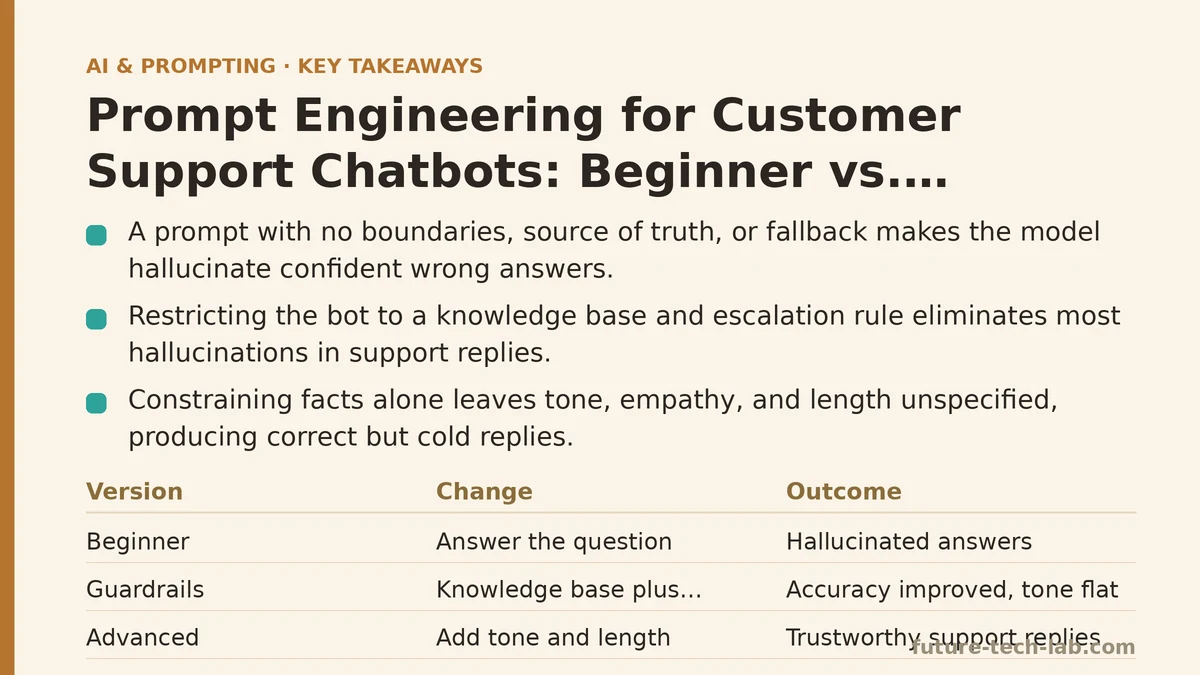
This is the beginner trap, and it’s not really about the wording of the prompt. It’s about what the prompt leaves out. “Answer the customer’s question” gives the model a task but no boundaries, no source of truth, and no instruction for what to do when it doesn’t know something. Left with that gap, the model does what generative models do by default: it fills in a plausible-sounding answer rather than admitting uncertainty.
Round two: adding guardrails, and hitting a new wall
The obvious fix was to stop letting the bot invent answers. I rewrote the prompt to include a hard boundary:
“You are a customer support assistant for [Product]. Only answer using the information provided in the knowledge base below. If the answer isn’t in the knowledge base, tell the customer you’ll escalate to a human agent. Knowledge base: [pasted docs].”
This closed the hallucination problem almost entirely, and honestly, that alone made it worth the rewrite — support teams live and die by whether customers can trust the first response they get. But a new pattern showed up almost as soon as I started testing with real ticket examples: the bot was technically correct and functionally useless.
A customer asked about exporting their data before canceling. The knowledge base had a relevant article, and the bot dutifully pasted a condensed version of it. Correct information, wrong tone, wrong structure. It read like a copy-pasted FAQ entry rather than a reply from someone trying to help. Another customer, clearly frustrated after a failed payment, got a response that was accurate but so flat it read as indifferent. The words were fine. The delivery wasn’t.
This is the second beginner ceiling, and it’s one people hit less often but it matters just as much: constraining what the model can say doesn’t tell it how to say it. Tone, empathy calibration, and response length are parameters, same as factual accuracy — and if you don’t specify them, you get a default that’s technically safe and emotionally tone-deaf.
Round three: the version that actually shipped
The advanced version of this prompt ended up doing four things the first two never attempted. The following sections walk through each addition and why it earned its place.
It defined a persona with explicit tone instructions, not just a job title. “You are Maya, a support agent for [Product]. Your tone is warm, direct, and never robotic. Acknowledge frustration before offering a solution.” That single sentence — acknowledge frustration before offering a solution — fixed the flat-response problem almost by itself. It forced a structural change in every reply: empathy line first, solution second, instead of solution only.
It gave the model a decision tree for uncertainty, rather than a single blanket instruction. Instead of just “escalate if you don’t know,” I specified three tiers: answer directly if the knowledge base covers it fully, answer with a caveat if it’s a partial match, and escalate immediately for anything touching billing disputes or account security, regardless of confidence. That last carve-out mattered more than anything else in the prompt — billing and security are exactly the categories where a confident-but-wrong bot does the most damage, so I wanted the bot erring toward a human every time, no exceptions baked in for “but what if it’s obvious.”
It specified output format down to the structure of the reply, not just the content. Greeting, one-sentence acknowledgment of the issue, the resolution steps as a numbered list if there were more than one step, and a closing line inviting a follow-up. Before this addition, every response was a single unstructured paragraph. Customers skim; a wall of text doesn’t get read carefully even when the information inside it is right.
It included two or three real example exchanges, pulled from our actual ticket history, showing the tone and format in action. This is the piece that made the difference between a prompt I trusted and a prompt I merely tolerated. Written instructions tell the model what to do; examples show it what “good” looks like, and for something as fuzzy as tone, showing beats telling by a wide margin.
Here’s roughly what that final prompt looked like assembled together:
“You are Maya, a support agent for [Product]. Tone: warm, direct, never robotic. Always acknowledge the customer’s situation in one sentence before offering a solution.
Only use the knowledge base below as your source of facts. If it fully answers the question, respond directly. If it partially answers it, respond with what you know and note that a specific detail needs confirmation from the team. For anything involving billing disputes or account security, escalate immediately — do not attempt to answer, even if you’re confident.
Format every response as: a one-sentence acknowledgment, then resolution steps as a numbered list (only if there’s more than one step), then a short closing line offering further help.
Example exchanges: [three real ticket/response pairs]
Knowledge base: [pasted docs]”
What changed between version one and version three
The gap isn’t really about cleverness. It’s about how many of the response’s actual dimensions got specified versus left to chance. Version one specified none of them — not the facts, the tone, the format, or the failure path — so every one of those defaulted to whatever the model guessed was reasonable. Version three pinned down all four.
| Dimension | Beginner Prompt | Advanced Prompt |
|---|---|---|
| Source of facts | Unspecified — model improvises | Locked to knowledge base, tiered confidence handling |
| Tone | Generic “helpful” default | Named persona, explicit empathy instruction |
| Structure | Freeform paragraph | Fixed format: acknowledge, steps, close |
| Escalation | None, or a vague fallback line | Explicit rules, hard carve-out for high-risk topics |
| Calibration method | Instructions only | Instructions plus real example exchanges |
That table is really the whole lesson. Every one of those rows was a gap in the first draft that showed up later as a customer-facing problem — a fabricated billing explanation, a flat response to a frustrated customer, an unreadable wall of text. None of the fixes required a better model or a more clever turn of phrase. They required deciding, in advance, what the model wasn’t allowed to guess at.
If you’re building something similar this week, don’t start by writing the most polished prompt you can imagine. Start with the beginner version, run it against your ugliest real tickets — not your easy ones — and let the failures tell you which of the four dimensions above needs locking down first. In practice it’s almost always tone or escalation rules that get skipped, and those are the two that customers notice fastest. Related guides: Are AI Prompt Engineering Certifications Worth It? A 2025 Review, Common Prompt Engineering Mistakes and How to Fix Them, and Fine-Tuning vs. Prompt Engineering: When to Choose Each.
🔗 Recommended Reading
- How to Build a Semantic Search Engine with Embeddings: A Beginner's Step-by-Step Tutorial
- Building Your First RAG Chatbot: A Step-by-Step Tutorial for Beginners
- Function Calling for Beginners: A Step-by-Step Tutorial to Connecting LLMs to External APIs
- Vector Databases Explained: A Beginner's Guide to Storing and Querying Embeddings
- How to Evaluate LLM Outputs: A Beginner's Step-by-Step Tutorial to Testing and Scoring AI Responses