Say you are trying to get through your team’s weekly customer newsletter draft before a 10 a.m. deadline, and every version the AI hands back sounds like it was written by a slightly nervous marketing intern. It’s not wrong, exactly. It’s just full of the stuff you’d delete anyway: “we’re excited to announce,” a closing line about “taking your experience to the next level,” a disclaimer nobody asked for. You fix it manually every single week, and every week it comes back.
That was our situation on the content team for about two months before I figured out the actual lever we were missing. I want to walk through that whole process, because the fix wasn’t a smarter prompt in the way most people mean that phrase. It was a prompt that spent more of its words on exclusions than on instructions.
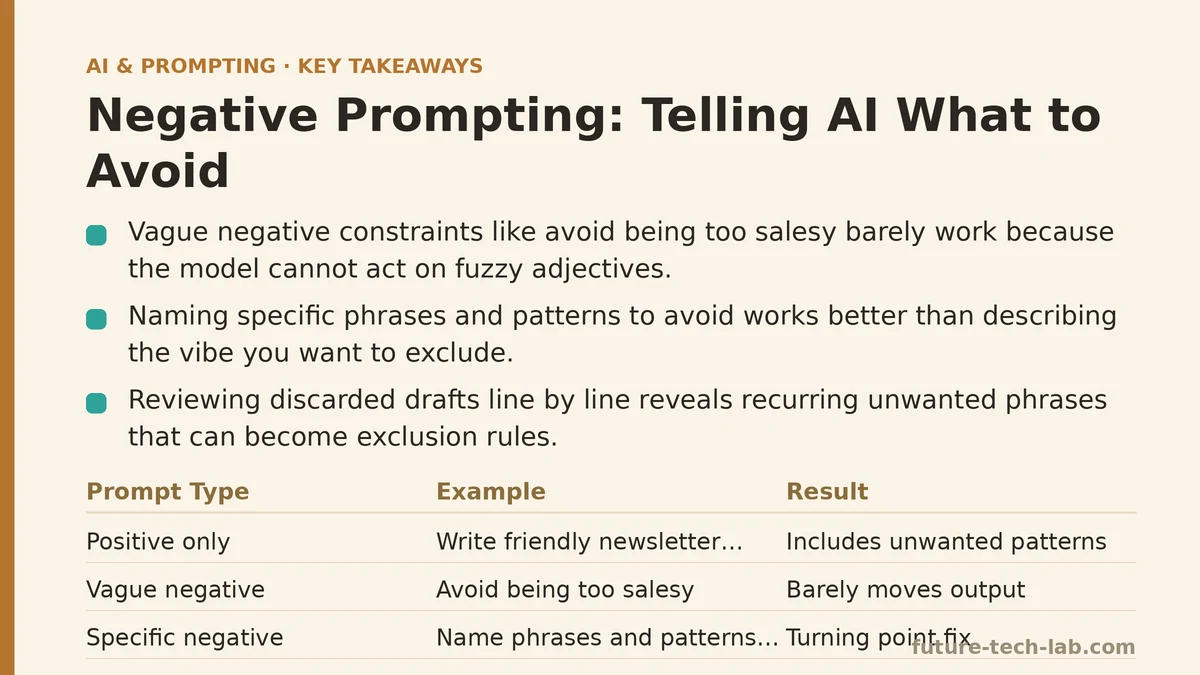
The starting point: a prompt that only said what we wanted
Here’s roughly what we were running at the start of each week:
“Write a friendly newsletter update for our customers about the new dashboard feature we launched. Keep it under 200 words.”
Reasonable request. Clear topic, clear length, clear tone word (“friendly”). And the output was consistently usable in the sense that it was grammatical, on-topic, and roughly the right length. But it also consistently included three things we didn’t want: an exclamation-point-heavy opening, a call-to-action paragraph that oversold the feature, and a line reassuring customers that “your feedback matters to us” — a sentence that had appeared in probably forty different emails by that point and meant nothing anymore.
None of that was a failure of the prompt’s positive instructions. The tone was friendly, as requested. The length was correct. The problem was everything the prompt hadn’t ruled out, and by default, the model filled that space with the most common patterns it associates with “customer newsletter” — which, unsurprisingly, is exactly the over-eager marketing voice everyone’s inbox is full of.
First fix attempt: adding more of what we wanted
My first instinct was to add more positive description. I made the prompt longer and more specific about tone:
“Write a friendly, calm, professional newsletter update about the new dashboard feature. Avoid being too salesy. Keep it under 200 words.”
That one line — “avoid being too salesy” — barely moved anything. The output still opened with an exclamation point half the time, and “salesy” turned out to be too vague a target for the model to act on consistently. It’s a judgment call dressed up as an instruction. What does “too salesy” rule out, specifically? The model has to guess, and it guesses conservatively, which in this case means it keeps most of what it was already doing and softens it slightly.
That’s a pattern that shows up across a lot of prompt failures: a vague negative constraint barely functions as a constraint at all. “Don’t be too formal,” “avoid sounding robotic,” “keep it natural” — these all point in a direction without marking a boundary. The model can’t check its own output against a fuzzy adjective the way it can check against a concrete rule.
What changed: naming the specific phrases and patterns, not the vibe
The turning point was going back through six weeks of discarded drafts and literally listing, line by line, the specific phrases and structural habits that kept showing up and that we kept cutting. Not “too salesy” — the actual text. It looked like this:
- The opening word or phrase: “Exciting news!” or “We’re thrilled to announce”
- The closing call-to-action paragraph urging the reader to “explore all the ways this can help you”
- Any sentence that used the words “revolutionize,” “seamless,” or “next level”
- The generic feedback-request line at the end
- Exclamation points, period — we didn’t want any
Once that list existed, the new prompt looked like this:
“Write a newsletter update about the new dashboard feature, under 200 words. Do not open with ‘Exciting news’ or any similar exclamation. Do not include a call-to-action paragraph at the end. Do not use the words ‘revolutionize,’ ‘seamless,’ or ’next level.’ Do not include a line asking for feedback. Use zero exclamation points.”
That’s a lot less elegant to read than the first version. It also worked almost immediately. The first draft that came back under this prompt needed maybe one sentence trimmed for length. Nothing about the positive instructions changed — same topic, same tone word, same length cap. The only thing that changed was replacing one vague exclusion with five specific, checkable ones.
Why specificity is the whole trick here
What I took from that week is that a negative instruction only works if it names something the model can verify against its own output. “Avoid being salesy” isn’t verifiable — there’s no clean yes/no test for it. “Don’t use the word ‘seamless’” is verifiable in the most literal sense: the word is either in the text or it isn’t. The more your exclusion resembles a rule a linter could check, rather than a mood you’re hoping to avoid, the more reliably it gets enforced.
This also explains why negative prompting tends to fix problems that positive instructions can’t touch. You can ask for a certain tone all day, but “tone” is a blend of a hundred small choices, and the model has its own defaults for most of them. Naming the three or four defaults you specifically don’t want is often a faster route to your target than trying to describe the target itself in more and more detail.
There’s a second thing worth mentioning: order and isolation matter almost as much as specificity. Burying “avoid X” in the middle of a longer paragraph of context gets it less attention than putting it on its own line, the same way a single bullet point in a spec document is harder to miss than a clause buried in a sentence. Once we started formatting our exclusions as a short standalone list — even just three items — adherence noticeably improved compared to folding them into the main request.
Rolling it out past the newsletter
Once the newsletter prompt was working, we started keeping a running exclusion list per content type, and reusing it. Social captions had their own list: no rhetorical questions in the first line, no emoji unless specifically requested, no phrase containing the words “game-changer” or “level up.” Internal status updates had a different one: no hedge phrases like “just wanted to check in,” no sign-offs longer than one line, no restating the request back before answering it.
The lists overlap less than you’d expect. What counts as filler in a customer email is different from what counts as filler in an internal Slack summary, so a generic all-purpose exclusion list didn’t hold up as well as type-specific ones. That was a small surprise — I’d assumed one master “don’t do this” list would cover most of our use cases, and instead we ended up maintaining four or five shorter, more targeted ones.
The other adjustment we made was treating the exclusion list itself as something to revise, not something to write once and forget. Every couple of weeks, whatever generic phrase had snuck back into three or four drafts got added to the list. It’s the same maintenance loop you’d run on a style guide — the list is only useful if it reflects what’s actually showing up, not what you predicted would show up back when you first wrote it.
What this means if you’re starting from scratch
If you’re trying this for the first time, skip the abstract version of a negative instruction and go straight to specifics. Don’t write “avoid corporate jargon” — go find three examples of the jargon you keep deleting and name them directly. Don’t write “don’t be repetitive” — identify the specific phrase or sentence structure that keeps recurring and rule out that exact thing.
A few starting points that have held up across different kinds of writing tasks for us:
- List banned words and phrases individually rather than describing a category.
- Put exclusions on their own line or in their own short list, separate from the task description.
- Rule out structural habits, not just vocabulary — a call-to-action paragraph you always cut, a closing line that never adds anything, a habit of restating the question before answering it.
- Revisit the list periodically instead of treating it as finished.
None of this requires a longer prompt overall. Our newsletter prompt is barely longer now than it was at the start — it just spends its length differently, with roughly half of it telling the model what to leave out instead of what to include.
Next time you find yourself deleting the same sentence or phrase from an AI draft for the third week running, try writing it down exactly as it appeared and adding it to your prompt as a named exclusion. It’s a smaller change than it sounds like, and it tends to save more editing time than another round of describing the tone you’re after. Related guides: AI Prompting Techniques for Sales Teams: Personalized Outreach and Deal Follow-Ups, AI Prompting Techniques for Summarizing Long Documents and Reports, and Chain-of-Thought Prompting Explained With Real Examples.
🔗 Recommended Reading
- How to Build a Semantic Search Engine with Embeddings: A Beginner's Step-by-Step Tutorial
- Building Your First RAG Chatbot: A Step-by-Step Tutorial for Beginners
- Function Calling for Beginners: A Step-by-Step Tutorial to Connecting LLMs to External APIs
- Vector Databases Explained: A Beginner's Guide to Storing and Querying Embeddings
- How to Evaluate LLM Outputs: A Beginner's Step-by-Step Tutorial to Testing and Scoring AI Responses