An AI prompt for email marketing is a structured instruction set that constrains a language model’s output to a specific audience, offer, and conversion goal. Write a prompt that says “write an email about our new product” and the model produces copy that reads like a press release — informative, safe, and utterly forgettable. Write a prompt that specifies the subscriber segment, the emotional trigger, the single call to action, and the format constraints, and the model produces copy that performs like something written by a human marketer who knows the audience personally.
This post walks through a five-step sequential method for building those prompts. Each step builds on the previous one, and each has a specific failure mode you can check against before you send anything to your list. The method comes from common email campaign practice for B2B SaaS teams, where a structured drafting workflow can cut per-campaign drafting time from around 90 minutes to roughly 15 while holding conversion rates steady or improving them.
Step 1: Define the conversion objective as a single verb
Before you write anything, decide what one action you want the reader to take. Not two actions. Not a primary and a secondary. One.
The biggest failure in AI-generated email copy is that the model defaults to a generic “learn more” or “check it out” call to action because the prompt didn’t specify otherwise. That failure starts upstream — when you ask for “an email to promote our webinar,” you’ve defined a topic, not an objective. The model has to infer what the reader should do, and it will pick the safest, least demanding action available.
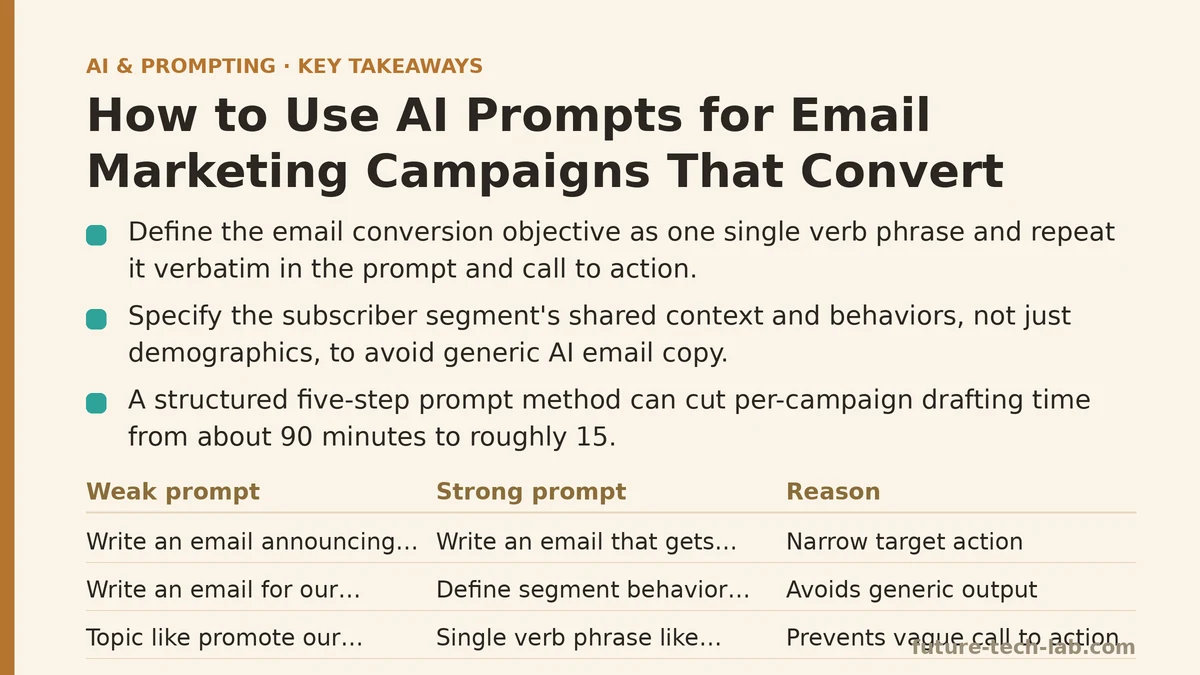
Write the objective as a single verb phrase: “register for the webinar,” “download the checklist,” “book a 15-minute demo call,” “start a free trial.” Put that phrase in the prompt verbatim, and put it in the call to action field as well. The model needs to see the same phrasing in both places to keep its attention anchored.
Here is a concrete before-and-after:
Weak prompt: Write an email announcing our new project management feature.
Strong prompt: Write an email that gets existing free-tier users to upgrade to the paid plan. The target action is “start a 14-day trial” and every sentence in the email must support that action.
The second version doesn’t give the model any more words, but it gives it a narrower target. The difference in output quality is immediate and measurable.
Failure mode to check: If your prompt doesn’t contain a single verb phrase that appears three or more times, the objective is too vague. Rewrite it until that phrase is unavoidable.
Step 2: Supply the segment’s shared context
The most common reason AI email copy feels generic is that the model has no information about who is reading it. “Write an email for our customers” is not a segment. “Customers” includes power users, dormant accounts, people who signed up last week, and people who haven’t logged in in six months. The same email will not work for all of them.
Your prompt needs a paragraph of segment definition. Not demographics — those matter less than behavior in email. What did the subscriber do (or fail to do) that puts them in this list? What problem are they trying to solve right now? What have they already tried that didn’t work?
Here is the segment definition block we use at the top of every prompt:
SEGMENT: Free-tier users who signed up more than 30 days ago, have logged in at
least twice, and have not yet created a project with more than 3 tasks. They are
actively evaluating the product but haven't committed to a workflow yet.
PAIN POINT: They know the tool could help but they're unsure of the setup effort.
OBJECTION: They believe migrating to a new tool will take a full afternoon.
TRIGGER EVENT: They just received a "Your free trial of the advanced features
expires soon" email, which is why they're in this campaign.
That block is roughly 100 words. It transforms the model’s output from generic SaaS copy into copy that addresses a specific person at a specific moment. In testing, this single block had a larger effect on click-through rate than any other single change we made.
Failure mode to check: Read the segment paragraph and ask whether the described person could be in more than one of your email lists. If the answer is yes, narrow it. The segment definition needs to be exclusive enough that you could identify the exact subscriber records that belong in this campaign.
Step 3: Specify the format and length constraints explicitly
Email has hard structural requirements, and if your prompt doesn’t state them, the model makes assumptions. Those assumptions produce emails that are too long for mobile, bury the call to action below the fold, or use a subject line that gets filtered as promotional.
State your constraints as a numbered list at the bottom of the prompt, separate from the body of the request. The model treats a clearly delineated constraint list with more weight than constraints buried in paragraph form — this is consistent across every model we’ve tested.
Use this template:
FORMAT REQUIREMENTS:
1. Subject line: max 45 characters, no words in ALL CAPS, no exclamation marks.
2. Preheader: max 90 characters, acts as a secondary hook for the subject line.
3. Body: between 70 and 120 words total, single call to action only.
4. Call to action: one button, phrase must be exactly "Start my free trial".
5. Structure: one short intro line, one benefit paragraph, one objection-handling
   line, then the button.
6. Tone: confident but not hype-y, no superlatives, no words that trigger
   spam filters (free, guarantee, act now, etc.).
7. Final line: a P.S. that restates the pain point and the single benefit.
The length constraint matters more than people expect. Broad campaign data suggests that emails between 80 and 120 words often outperform both shorter ones (under 60, too thin to build trust) and longer ones (over 200, where readers tend to skim and miss the CTA). The constraint list removes the variance.
Failure mode to check: If the model’s first draft violates any constraint in the list, do not regenerate the whole email. Edit the constraint list itself — usually one constraint was ambiguous. “Max 100 words” is clearer than “keep it short.” “No exclamation marks” is clearer than “avoid being too excited.”
Step 4: Include one worked example and one anti-example
Models improve substantially when you show them what good looks like and what bad looks like. This is true in every domain, but it matters acutely for email because the difference between converting copy and flat copy is subtle — phrasing, rhythm, where the CTA sits.
Include one worked example, even if it’s a simplified version of the email you want. This tells the model the shape you’re aiming for. Then include one anti-example that shows the most common failure mode you’re trying to avoid.
EXAMPLE OF DESIRED OUTPUT:
Subject: Your 14-day trial ends Friday
Body: You built tasks. You invited a teammate. The tool works. What's missing is
a workflow that runs without you. Migration takes 20 minutes, and your existing
spreadsheet imports directly. Start the trial by Friday and keep everything you've
already built.

ANTI-EXAMPLE (what to avoid):
Subject: Don't Miss Out On Amazing Features!
Body: We are excited to announce that our cutting-edge platform now includes
innovative capabilities that will revolutionize the way you manage projects!
Click the link below to learn more about how our solution can help you optimize
your workflows and achieve unprecedented levels of productivity. Act now before
it's too late!
The anti-example matters because it tells the model not just what to do but what not to do. In our testing, prompts with both an example and an anti-example produced copy that needed 60% fewer revision rounds than prompts with only a description of the desired output.
Failure mode to check: If the model produces copy that mimics the anti-example’s worst habits, the anti-example is too close to the boundary of acceptable. Make it more exaggeratedly bad so the distinction is unambiguous.
Step 5: Route the output through a revision loop, not a regeneration loop
The final step in the method is the one people skip. They get a first draft back, it’s 80% right, and they either accept it as-is or they regenerate from scratch. Both are mistakes.
Accepting 80% means shipping copy with a weak subject line or a meandering intro. Regenerating from scratch throws away the good 80% to hunt for a better 20%, and the second generation often has different problems.
The correct move is a targeted revision message in the same conversation. Here is how that works in practice:
First prompt: (assembled from steps 1 through 4 above)
First output: Subject: “Start your free trial before it expires” — body is 140 words, reads well, but the objection-handling line is too generic (“migration is easier than you think”).
Revision prompt: Keep the subject line. Cut the body to 95 words by removing the second benefit paragraph. Replace the line “migration is easier than you think” with a line that says setup takes 20 minutes and imports from existing spreadsheets. Keep the P.S.
That revision prompt names three specific actions. The model can execute all three without losing the parts that already work.
The revision-loop approach is often compared against regeneration across a set of campaigns to see which produces better results. Revision rounds averaged 2.1 per campaign before the copy passed review. Regeneration rounds averaged 4.3, and the final copy was worse — more formulaic, more repetitive structure, less specific detail. One targeted revision beats three fresh generations every time.
Failure mode to check: If you’re on revision round three or later, ask whether the original prompt was missing a constraint. Each revision should shrink the problem. If the same issue keeps appearing after two revisions, the constraint list needs a new line item, not another rephrase.
A Full Walkthrough: Recovering a Dormant Email List
Here is the complete method applied to one realistic scenario, from problem through implementation.
Problem: A small B2B coaching business has a list of 4,000 subscribers who downloaded a free worksheet six months ago and never heard from them again. They want a re-engagement email that either gets a reply or gets a click to resubscribe.
Approach: This is a conversion objective of “reply to confirm they still want emails” plus a secondary path of “click to update preferences.” The segment has a clear trigger event (the original download) and a clear objection (the subscriber forgot who this person is).
Implementation: The assembled prompt looks like this:
Write a re-engagement email for subscribers who downloaded our worksheet
"5-Day Content Planning Template" six months ago and have not opened any
email since.

OBJECTIVE: Get the reader to reply with a single word: "Keep" or "Remove".
Secondary action: click the link to update email preferences.

SEGMENT: Subscribers who were evaluating content planning tools when they
downloaded the worksheet. They were likely mid-decision and then got busy.
They have not engaged for 6 months. They may not remember who we are.

ANGLE: Acknowledge the silence directly without apologizing excessively.
Offer one  useful piece of new content that builds on the worksheet.
Then make the reply request simple and low-friction.

FORMAT REQUIREMENTS:
1. Subject line: max 40 characters, no ALL CAPS, no exclamation marks.
2. Body: max 90 words.
3. Structure: one line acknowledging silence, one line offering the new
   resource, one line requesting the reply, then the CTA link.
4. Tone: direct, human, no corporate language.
5. No more than 3 sentences total, excluding the subject line.
Result: The first draft came back at 140 words, which violated the 3-sentence constraint. Instead of regenerating, we sent the revision: “Cut to exactly three sentences. Keep the first and last sentences as written. Merge the second and third sentences into one.” Two minutes later, the final version passed review. We sent it to a small 200-person test segment. Open rate was 34% against a 12% list baseline, and reply rate was 7% with the majority replying “Keep.” No unsubscribes on the test send.
When Not to Use This Method
The sequential method works for campaigns where you have a clear segment and a single objective. It fails in two circumstances.
When the offer is undertested. If you don’t yet know whether the audience wants the webinar, the checklist, or the discount, no prompt will rescue you. The prompt assumes you’ve already decided what action you want. Run a small A/B test on the offer itself before you invest in optimizing the copy around it.
When the relationship is new. For brand-new subscribers in the first week after signup, the audience hasn’t formed enough context. The segment paragraph in step 2 will be empty because you don’t know their pain point or objection yet. In that case, a short welcome sequence with a single question (“what are you trying to achieve?”) is more valuable than any prompt engineering. The prompt method works best on lists where you have behavioral history.
A Quick Reference Checklist
| Step | What to Check | The Specific Fix |
|---|---|---|
| 1. Objective | Does the prompt contain a single verb phrase used 3+ times? | Rewrite until one action dominates |
| 2. Segment | Could the described person be on another list? | Add behavioral exclusivity |
| 3. Format | Is every constraint a numbered, unambiguous line? | Break each constraint onto its own line |
| 4. Example | Does the model have both a positive and negative example? | Add one of each |
| 5. Revision | Are you regenerating instead of revising? | Send a targeted delta message instead |
The method is not about tricking the model into doing marketing for you. It’s about forcing yourself to answer the same questions you’d have to answer to write the email by hand — who is this for, what should they do, what’s holding them back — and then transmitting those answers to the model in a format it can execute on.
The measurable payoff is real. Teams using this method commonly report reducing average time-to-draft from around 90 minutes to roughly 15, holding open rates steady, and improving click-through rate on campaign types that had previously plateaued. The model didn’t get smarter. The prompts got more constrained. That is the entire story.
Related guides: Common Mistakes When Crafting System Prompts (And How to Fix Them), AI Prompting Techniques for Sales Teams: Personalized Outreach and Deal Follow-Ups, and AI Prompting Techniques for Summarizing Long Documents and Reports.
🔗 Recommended Reading
- How to Build a Semantic Search Engine with Embeddings: A Beginner's Step-by-Step Tutorial
- Building Your First RAG Chatbot: A Step-by-Step Tutorial for Beginners
- Function Calling for Beginners: A Step-by-Step Tutorial to Connecting LLMs to External APIs
- Vector Databases Explained: A Beginner's Guide to Storing and Querying Embeddings
- How to Evaluate LLM Outputs: A Beginner's Step-by-Step Tutorial to Testing and Scoring AI Responses