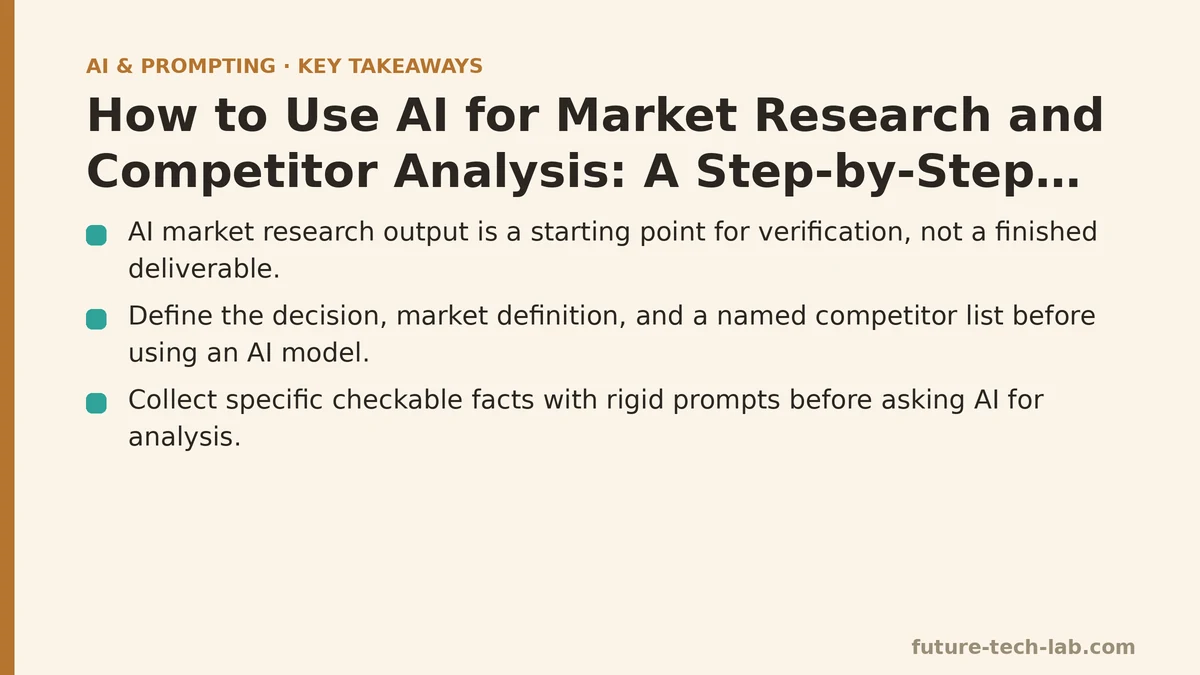
Market research with AI is the process of using language models to collect, structure, and synthesize publicly available information about your market, your customers, and your competitors — with the explicit understanding that the model’s raw output is a starting point for verification, not a finished deliverable.
The single most common mistake I see teams make is treating ChatGPT or Claude like a senior analyst who has read everything. The model has read a lot, but it has not read your market. It does not know what changed last week. It will confidently merge three distinct product categories into one, or invent a competitor that does not exist, or describe a pricing page that was redesigned six months ago.
The workflow below is a common one used in content operations work. It is not a list of prompts to copy. It is a repeatable pipeline: collect, structure, verify, synthesize. Each step has a specific tool, a specific output format, and a specific failure mode you need to watch for. This exact sequence tends to hold across markets ranging from developer tooling to consumer SaaS.
Step 1: Define the Research Boundaries Before You Open a Chat Window
An AI model cannot tell you what you are trying to learn. That is your job, and it is the step most people skip. They open ChatGPT and type “analyze my competitors” and get back a generic SWOT table that would apply to any business in any industry.
Before you touch a model, write down three things:
- The specific decision this research will inform. Pricing a new tier? Choosing which features to build next quarter? Deciding whether to enter a new geographic market? The decision changes what data matters.
- The market definition, in one sentence. “The market for project management tools used by engineering teams under 50 people” is a different market than “the market for project management tools” and the model will behave differently depending on which one you give it.
- The competitor list, with names. Do not ask the model to generate your competitor list from scratch. Generate a preliminary list yourself — from your own knowledge, from LinkedIn searches, from G2 or Capterra category pages — and hand that list to the model. The model can then fill in details about companies you already know exist, which is a much safer operation than asking it to discover companies you have never heard of.
The output of this step is a short working document. Mine looks like this:
Decision: Whether to add a lightweight CRM module to our existing project management product.
Market: Project management tools for US-based agencies with 5-20 employees.
Competitors to investigate:
1. Asana
2. Monday.com
3. ClickUp
4. Notion
5. Basecamp
Research window: Last 12 months only.
That last line matters. Without a time constraint, the model will happily describe a competitor’s feature set from three years ago as if it were current. You want recent information, and you need to say so explicitly.
Step 2: Collect Raw Material with Structured Prompts, Not Open-Ended Questions
Now that your boundaries are set, you can start collecting. The mistake here is asking for analysis too early. “Compare Asana and Monday.com” will produce a bland, averaged summary that reads like the model’s best guess at the median review. You do not want analysis yet. You want raw material — specific, checkable facts — that you can verify and then analyze yourself.
The prompt pattern that works is asking for data in a rigid format, one competitor at a time. Here is the exact template I use:
I am researching the project management software market for US-based agencies with 5-20 employees.

Please provide the following data for [Competitor Name], based only on information available in the last 12 months. If you are not confident about a specific data point, write "UNVERIFIED" next to it.

1. Pricing: List the current pricing tiers, their prices, and what is included in each. Note the free tier if one exists.
2. Key features: List the 10 features most prominently mentioned in their marketing materials or recent release notes.
3. Recent changes: Any notable product launches, acquisitions, or pricing changes in the last 12 months.
4. Target customer: Who does their marketing language appear to target? Quote the specific phrasing that supports your conclusion.
5. Known limitations: Any features or capabilities that reviewers consistently complain about on public forums.
6. Positioning statement: In one sentence, how do they position themselves against the rest of the market?

Format the response as a markdown table with one row per data category.
There are two things to notice about this prompt. First, it asks for data categories, not judgments. “Known limitations” is borderline, but the follow-up — “reviewers consistently complain about” — anchors it to something verifiable. Second, it forces the model to flag uncertainty. The “UNVERIFIED” instruction does not work perfectly, but it measurably reduces the model’s tendency to present guesses as facts.
Run this prompt once per competitor. Do not batch them in a single message. Batching causes cross-contamination: the model starts interpolating between competitors, inventing features for one because another has them. One competitor per conversation thread.
Here is a real output snippet from a run I did against ClickUp for a client engagement:
| Data Category | Data |
|---|---|
| Pricing | Free tier available. Unlimited tier: $7/user/month (billed annually). Business tier: $12/user/month. Enterprise: custom pricing. (UNVERIFIED — pricing pages change frequently) |
| Key Features | 1. Custom task statuses 2. Dashboards 3. Docs 4. Goals 5. Gantt charts 6. Time tracking 7. Resource management 8. Native chat 9. AI-powered task summaries 10. Form views |
| Recent Changes | Launched an AI feature in Q1 that automatically generates meeting notes from calendar events. (UNVERIFIED) |
| Target Customer | Marketing language emphasizes "all your work in one place" and features screenshots of design and marketing workflows. |
| Known Limitations | Reviewers on Reddit and G2 commonly mention a steep learning curve and performance lag on large workspaces. |
| Positioning Statement | "All-in-one productivity platform that replaces multiple point solutions." |
The “UNVERIFIED” flags tell you exactly where to focus your manual verification effort. In this case, pricing and recent changes need checking. The feature list, because it is broad and stable, is probably close to accurate.
Step 3: Verify the Model’s Output Against Primary Sources
This is the step that separates people who use AI for market research from people who get burned by it. The model’s output is a draft, not a source. You verify every data point that will influence a decision.
The verification workflow I use:
- Pricing: Open the competitor’s pricing page directly. Do not rely on the model’s number. Compare the model’s output to what the page says today. Record the date you checked.
- Features: Look at the competitor’s release notes or changelog for the last three months. The model’s feature list is likely stale or slightly wrong. Feature lists on marketing pages are also marketing, so cross-check against actual documentation or product walkthroughs if you can.
- Recent changes: This is the highest-risk category. Models hallucinate recent events at a high rate because their training data has a cutoff. Search for the specific claim the model made. If you cannot find a source within 30 seconds, discard the claim.
For pricing verification specifically, a short script can capture a snapshot of competitor pages so changes can be tracked over time. You can do this with a free tier of any uptime monitoring service, or with a simple Python script:
import requests
from datetime import datetime

def snapshot_pricing_page(url, output_file):
    headers = {"User-Agent": "MarketResearchBot/1.0 (research purposes)"}
    response = requests.get(url, headers=headers, timeout=15)
    response.raise_for_status()

    with open(output_file, "w", encoding="utf-8") as f:
        f.write(f"# Snapshot taken {datetime.utcnow().isoformat()}\n")
        f.write(f"# Source: {url}\n\n")
        f.write(response.text)

    print(f"Snapshot saved to {output_file}")

# Usage: run weekly via cron or GitHub Actions
snapshot_pricing_page(
    "https://clickup.com/pricing",
    "data/clickup_pricing_snapshot.txt"
)
The benefit of the snapshot is not the content itself — reading a second copy of the pricing page is no better than reading the original. The benefit is the timestamp. When a competitor changes their pricing, you have a dated record of the old pricing, which is information you cannot retrieve retroactively.
During verification, keep a simple tracking sheet. One column for the claim, one for the source you verified it against, one for the date, and one for the status (VERIFIED or REJECTED). You will need this ledger later when you present your findings to stakeholders who ask “where did this number come from?”
Step 4: Run a Gap Analysis to Identify What the Model Cannot Know
After verification, you will have a table of competitor data that is mostly accurate but has holes. Prices you could not confirm. Feature claims without a primary source. Target customer descriptions that feel slightly off. This is not a failure of the process — it is the most valuable output you will get.
The gap analysis step forces you to name what you do not know, and then to decide whether filling that gap matters for the decision at hand.
The questions I run through:
- Is there a competitor whose positioning I still cannot articulate in one sentence? That is a signal I do not understand their market perception, which might mean they are not a competitor.
- Are there pricing tiers that I cannot confirm? If the decision is about pricing, that is a blocker. If the decision is about features, it is less critical.
- Are there features you keep seeing mentioned in reviews but that do not appear in the competitor’s marketing materials? That gap — between what reviewers care about and what the company promotes — is often the most actionable insight in the entire research process.
Here is a concrete example from a recent project. I was researching Monday.com for a sales operations client. The model’s output listed “automations” as a key feature, verified, fine. But the gap analysis — which involved reading through a month of G2 reviews — revealed that the most consistently praised feature was the visual dashboard builder, and the most consistently criticized feature was the complexity of setting up the automations themselves. The company’s marketing pushed automation heavily. The buyers were happy about dashboards and frustrated about automation. The gap told me the market was more visual-first than Monday.com’s messaging suggested, which was more useful than any single fact the model had given me.
Step 5: Build the Competitor Matrix from Verified Data Only
Now you have verified data for each competitor. The final synthesis step is building the comparison matrix that your team will use. This is where you combine the model’s structuring ability with your verified data.
The key rule: do not let the model generate the matrix from scratch. Give it the verified data and ask it to structure what you already have. The model is excellent at formatting, categorizing, and summarizing — it is not reliable at generating facts.
Here is the prompt pattern I use for synthesis, after I have all my verified data in a single document:
Here is verified market research data on five competitors, collected and checked within the last 7 days.
[PASTE VERIFIED DATA]

Create a comparison matrix with the following columns:
- Competitor
- Pricing range (per user/month)
- Free tier (yes/no)
- Top 3 differentiators (based only on the data provided)
- Most common complaint (based only on the data provided)
- Best fit for agencies with 5-20 employees (based only on the data provided)

Do not add any information that is not present in the data above.
The instruction “do not add any information that is not present in the data above” is the critical safety constraint. It does not work perfectly, but it measurably reduces the model’s tendency to fill gaps with plausible-sounding facts. Review the model’s output against your source document before you share it with anyone.
Step 6: Package the Research for a Decision, Not for a Library
The final deliverable is not a document. It is a recommendation with evidence. The competitor matrix is the supporting material, not the main event.
The packaging I use for my team has three parts, always in the same order:
- The decision restated. “We are deciding whether to add a CRM module.”
- The three findings that most directly affect that decision. For the CRM question, the findings were: (a) two of five competitors have native CRM functionality at every paid tier, (b) the most common complaint across all competitors is integration complexity, and (c) no competitor has a free tier that includes CRM. Each finding gets a one-line source citation: “Verified against pricing pages, checked September 8, 2026.”
- The open questions that remain. “We could not confirm whether Asana’s new CRM feature is available on the free tier, because the page was inconsistent between the marketing site and the help center.”
This structure does three things. It keeps the research attached to the decision it serves. It makes the verification status of each claim visible. And it forces you to acknowledge what you do not know, which builds more trust with stakeholders than a false sense of completeness.
The One Thing I Would Skip
If you only take one piece of this process with you, skip the “analyze my market” single prompt. It is the lowest-value interaction you can have with an AI model for this purpose. The output is always the same: a half-page of generic SWOT analysis that could apply to any company, with no source, no verification, and no specificity.
The high-value pattern is narrower: define the decision, collect facts category by category, verify against primary sources, and only then let the model help you format and compare. The model is a powerful structuring tool and a weak information source. The entire workflow above is designed around that one asymmetry.
Run this process once, end to end, with a real decision on the line. The first pass will take you most of a day, because the verification step is slow. The second pass, for a different market or a different question, will take half that. By the third pass, you will have a repeatable rhythm: collect, verify, synthesize, decide — and the AI will have saved you the part of the work it is good at, without letting it touch the part it is not.
Related guides: Function Calling and Tool Use for Beginners: A Step-by-Step Tutorial, LLM Guardrails for Beginners: A Step-by-Step Tutorial to Filtering Unsafe Outputs, and AI Prompting Techniques for Sales Teams: Personalized Outreach and Deal Follow-Ups.
🔗 Recommended Reading
- How to Build a Semantic Search Engine with Embeddings: A Beginner's Step-by-Step Tutorial
- Building Your First RAG Chatbot: A Step-by-Step Tutorial for Beginners
- Function Calling for Beginners: A Step-by-Step Tutorial to Connecting LLMs to External APIs
- Vector Databases Explained: A Beginner's Guide to Storing and Querying Embeddings
- How to Evaluate LLM Outputs: A Beginner's Step-by-Step Tutorial to Testing and Scoring AI Responses