Say you are trying to turn a messy 40-minute client call transcript into a clean summary with action items, and the model you always use hands back something that’s technically accurate but reads like it was written by someone who wasn’t in the room. You tweak the prompt three times. Same flat result. At some point the problem isn’t your prompt at all — it’s that you’re asking the wrong model to do this particular job.
That’s a situation teams run into constantly, because Gemini, GPT-4, and Claude often get used for different pieces of a content pipeline, and none of them are interchangeable the way the marketing pages imply. Below is a troubleshooting list worth keeping pinned in a team wiki: the symptom you’re seeing, why it’s happening, and which model (or which setting) fixes it.
Symptom: Long documents get summarized shallowly, missing details from the middle or end
Likely cause: You’re running a long transcript, contract, or research doc through a model with a shorter effective context window, or one that tends to compress the middle of a document to save space in its response.
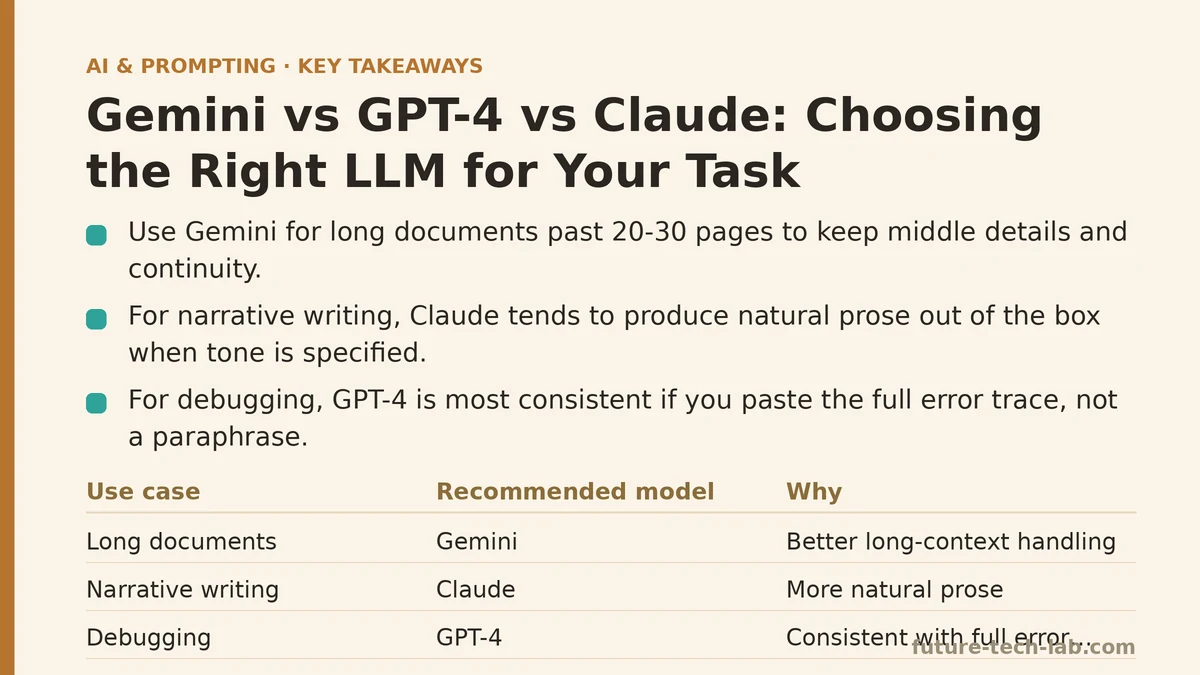
Fix: This is where Gemini has earned its spot in our stack. Its long-context handling holds up noticeably better on documents past 20-30 pages, especially when you need it to reference something specific from page 15 while writing a conclusion. If you’re feeding in call transcripts, legal documents, or multi-chapter drafts, start there instead of chunking the document manually and losing continuity between chunks.
If you’re locked into a different model for other reasons, the workaround is to split the document yourself and summarize section by section, then ask for a synthesis pass at the end. It works, but it’s an extra step you shouldn’t need.
Symptom: The writing sounds stiff, over-hedged, or padded with disclaimers you didn’t ask for
Likely cause: You’re working with a model tuned toward caution by default, and your prompt didn’t explicitly override that behavior.
Fix: This shows up most with certain safety-forward configurations, and the fix is usually two parts. First, name the tone directly: “conversational, no hedging, no disclaimers” does more work than you’d expect. Second, if you’ve already tried that and it’s still coming back stiff, Claude tends to produce more natural prose out of the box for narrative or reader-facing writing — blog posts, internal memos, anything meant to sound like a person wrote it. We route first-draft blog content through Claude for exactly this reason and clean up from there.
Symptom: Code suggestions look plausible but don’t actually run, or reference functions that don’t exist
Likely cause: You’re asking a general-purpose configuration to do something closer to a specialized coding task, without giving it the surrounding codebase context it needs to ground its answer.
Fix: For anything beyond a short snippet, paste in more surrounding context than feels necessary — imports, related functions, the error message verbatim. GPT-4 has been the most consistent performer for us on debugging tasks specifically, provided you give it the full error trace instead of a paraphrase. Don’t summarize the bug in your own words and expect a clean fix; paste the actual stack trace and let the model work from ground truth.
Symptom: You ask for a comparison table or structured output and get a wall of prose instead
Likely cause: The instruction named the content you wanted but not the container it should go in.
Fix: All three models will do this if you don’t spell out format. Say “respond only as a markdown table with these three columns” rather than “compare these options.” This one isn’t really a model-choice problem — it’s a prompt-completeness problem that happens to be easy to blame on the model. Test it once with an explicit format instruction before you decide the tool is at fault.
Symptom: Output feels generic even though your prompt included real details
Likely cause: The details you added were about the topic, not about the audience or the intended use of the output.
Fix: This is model-agnostic, and it’s the single most common issue we see on the team regardless of which tool someone opened. Add a sentence specifying who reads this and what they’ll do with it — “this goes to a client who’s already decided to sign, this is just confirming next steps” changes the output more than swapping models ever will. Check this before assuming you need a different LLM at all.
Symptom: Multi-step reasoning tasks (multi-part math, logic chains, planning with dependencies) fall apart halfway through
Likely cause: The task requires the model to hold several intermediate conclusions in mind and build on them sequentially, and it’s skipping steps or contradicting an earlier statement.
Fix: Ask explicitly for step-by-step reasoning before the final answer, rather than a single jump to the conclusion. In our testing, GPT-4 handles multi-step planning and dependency-heavy tasks — like sequencing a project plan where week 3 depends on a decision made in week 1 — with fewer internal contradictions than the others when reasoning is requested explicitly. If a plan needs to reference its own earlier steps consistently, this is the one to reach for first.
Symptom: You’re burning through your usage limits or budget faster than expected
Likely cause: You’re using a premium, high-capability configuration for tasks that don’t need it — short rewrites, single-paragraph edits, quick tone adjustments.
Fix: Match the tool to the task size, not just the task type. We save the longer-context and heavier reasoning configurations for the jobs described above, and default to faster, lighter options for anything under a few hundred words. Nobody needs a research-grade model to shorten an email.
A Quick Diagnostic Table
| If you’re seeing… | The likely cause is… | Try this first |
|---|---|---|
| Shallow summaries of long docs | Context window limits | Gemini, or manual chunking |
| Stiff, over-hedged prose | Cautious default tuning | Explicit tone instruction, then Claude |
| Code that looks right but fails | Missing surrounding context | Paste full error trace into GPT-4 |
| Prose instead of a table | Missing format instruction | Name the exact structure you want |
| Generic output despite detail | Missing audience/purpose | Add who reads it and why |
| Reasoning breaks down mid-task | No explicit step request | Ask for step-by-step, then GPT-4 |
| Budget draining fast | Mismatched tool-to-task size | Reserve heavy models for heavy tasks |
What I’d Tell Someone Starting From Scratch
None of these three tools is the “best” one in any absolute sense, and it’s worth giving up the search for that answer. What tends to work is treating model choice the way you’d treat picking between a spreadsheet and a database — the right choice depends entirely on what you’re loading into it and what you need back out.
Keep a running note of where each tool disappointed you and what fixed it. After a month of that, you’ll have a personal troubleshooting guide more useful than any comparison chart someone else wrote, because it’s built from your actual workload instead of a benchmark that may not resemble anything you do day to day.
Related guides: Meta-Prompting: Using AI to Write and Optimize Your Own Prompts, Prompt Versioning: How to Track and Manage Changes to Your AI Prompts Over Time, and The Iterative Prompting Framework: How to Test and Refine Your Prompts.
🔗 Recommended Reading
- Function Calling for Beginners: A Step-by-Step Tutorial to Connecting LLMs to External APIs
- Vector Databases Explained: A Beginner's Guide to Storing and Querying Embeddings
- How to Evaluate LLM Outputs: A Beginner's Step-by-Step Tutorial to Testing and Scoring AI Responses
- LLM Guardrails for Beginners: A Step-by-Step Tutorial to Filtering Unsafe Outputs
- Building Your First AI Agent: A Beginner Tutorial with Python and the OpenAI API