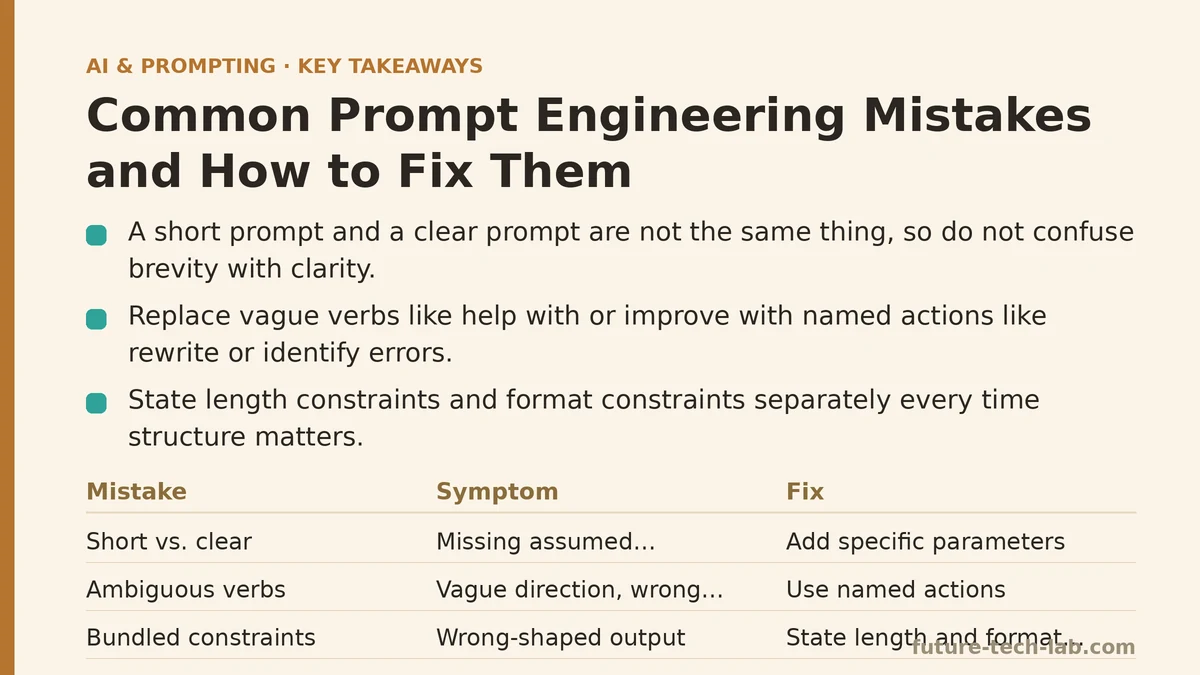
A short prompt and a clear prompt are not the same thing. Most people treat them as interchangeable, trim their instructions down to a single line, and then blame the model when the output misses the target. The two properties are almost unrelated — brevity is a stylistic choice, clarity is a structural one — and mixing them up is behind a good share of bad prompts that people end up debugging.
This post walks through the mistakes that come up most often, in the order you’d check them if someone handed you a broken prompt and asked why the output was off. Treat it as a diagnostic sequence, not a list to skim. Each step assumes the previous one has been ruled out.
Step 1: Rule Out the “Short vs. Clear” Confusion First
Before touching anything else, check whether the prompt is actually missing information or just missing words. A one-sentence request like “summarize this document” is short and clear about the action but vague about everything else — length, tone, what to prioritize if the document covers multiple topics.
The fix isn’t padding the prompt with filler. It’s adding the specific parameters that were silently assumed: “Summarize this document in five bullet points, focused on financial risk, for an audience with no background in the industry.” That’s a longer prompt, but the added length is doing structural work, not decorative work. If you can’t point to what each additional word is constraining, don’t add it.
Step 2: Check for Ambiguous Task Verbs
This is the single most common failure I see in prompts that otherwise look reasonable. Verbs like “help with,” “improve,” or “look at” don’t specify an action the model can execute — they specify a vague direction of travel.
“Help me with this email” could mean rewrite it, shorten it, make it more assertive, check it for errors, or draft a reply to it. The model will pick one interpretation and commit to it, and there’s no guarantee it picks the one you meant. Swap the vague verb for a named action: “rewrite this email to be more direct” or “identify factual errors in this email.” The fix costs you almost nothing in prompt length and removes an entire category of misfires.
A quick test: read your instruction and ask whether a competent human assistant, given only that sentence and no follow-up questions, would know exactly what to produce. If the answer is no, the verb is the problem.
Step 3: Separate Length Constraints from Format Constraints
These get bundled together constantly, and the model ends up guessing at whichever one you left out. “Keep it short” tells the model something about length but nothing about structure — should it be a paragraph, three bullet points, a single sentence? “Make it a bulleted list” tells it about structure but not length — three bullets or fifteen?
State both, separately, every time structure matters: “Present this as a bulleted list with no more than five items, each under 15 words.This single change can cut revision cycles roughly in half, mostly because it eliminates the back-and-forth where the model produces a technically correct but wrong-shaped answer and you have to re-specify anyway.
Step 4: Untangle Context from Instructions
A prompt that dumps background information and task instructions into the same undifferentiated block is harder for the model to parse correctly than one where the two are visually or structurally separated — the same way a function with all its parameters crammed into one unlabeled string is harder to debug than one with named arguments.
Consider the difference between this:
“I run a small bakery and want a social post about our new sourdough, keep it under 50 words and casual, don’t use any exclamation points.”
and this:
“Context: I run a small bakery launching a new sourdough loaf. Task: Write a social media post announcing it. Format: Under 50 words, casual tone. Constraint: No exclamation points.”
Both contain identical information. The second version is parsed more reliably, especially as prompts get longer and instructions start competing for attention. It also makes it trivial to spot which part is missing when something goes wrong — you’re debugging one field, not re-reading a paragraph to find the gap.
Step 5: Watch for Constraints That Backfire
Negative instructions — “don’t be too salesy,” “avoid sounding robotic,” “don’t make it too long” — are weaker than they look because “too” is doing all the work and it’s undefined. The model has no numeric or structural anchor for what counts as “too salesy,” so it applies its own internal default, which may not match yours at all.
Replace vague negative constraints with a positive, concrete substitute. Instead of “don’t be too salesy,” try “use a neutral, informational tone with no calls to action.” Instead of “don’t make it too long,” specify the actual ceiling: “under 120 words.” The instruction stops being an aesthetic judgment call the model has to interpret and becomes a rule it can check itself against.
Step 6: Test Whether Your Prompt Is Overfit to One Example
If you built a prompt by tweaking it against a single test case until the output looked right, there’s a decent chance it’s overfit — tuned to quirks of that one input rather than to the general task. This shows up constantly in prompt templates meant to be reused across varying inputs: a summarization prompt tuned against one long, formal report might collapse when fed a short, informal one, because instructions like “condense the third section” only made sense for the document you were staring at.
Run your prompt against at least two or three meaningfully different inputs before treating it as finished — different lengths, different tones, different edge cases. If the output quality swings wildly, the prompt is encoding assumptions specific to your original test case rather than a task definition general enough to hold up across inputs.
Step 7: Audit for Contradictory Instructions
Longer prompts accumulate contradictions the way long-lived codebases accumulate dead branches — nobody adds them on purpose, but they pile up across edits. “Be concise” next to “cover all relevant details in depth” is a direct conflict, and the model resolves it by picking whichever instruction it weights more heavily, which is rarely predictable from the outside.
Read through your finished prompt line by line and check each instruction against every other one, not just against the instruction next to it. Conflicts often sit far apart in the prompt — a tone requirement near the top contradicted by a format requirement near the bottom. When you find one, don’t try to average the two; pick the one that actually reflects your priority and cut the other.
A Quick Diagnostic Table
| Symptom | Likely Cause | Fix |
|---|---|---|
| Output is generic | Missing context | Add background: audience, goal, situation |
| Wrong action taken | Ambiguous verb | Name the specific action explicitly |
| Right content, wrong shape | Length/format conflated | State both separately |
| Instruction ignored | Vague negative constraint | Replace with a concrete positive rule |
| Works once, fails elsewhere | Overfit to one test case | Test against varied inputs before finalizing |
| Inconsistent output across runs | Contradictory instructions | Line-by-line conflict check |
Most prompt failures trace back to one of these seven checks, and they tend to surface in roughly the order listed above — vague verbs and missing context account for the bulk of it, contradictions show up mostly in prompts that have been edited many times over. Run through the list top to bottom next time a prompt underperforms, rather than rewriting it from scratch. It’s faster, and it tends to tell you exactly which assumption you left unstated. Related guides: How to Debug and Troubleshoot Failing AI Prompts, Prompt Engineering Mistakes That Break JSON Output and How to Fix Them, and Common Mistakes When Crafting System Prompts (And How to Fix Them).
🔗 Recommended Reading
- How to Build a Semantic Search Engine with Embeddings: A Beginner's Step-by-Step Tutorial
- Building Your First RAG Chatbot: A Step-by-Step Tutorial for Beginners
- Function Calling for Beginners: A Step-by-Step Tutorial to Connecting LLMs to External APIs
- Vector Databases Explained: A Beginner's Guide to Storing and Querying Embeddings
- How to Evaluate LLM Outputs: A Beginner's Step-by-Step Tutorial to Testing and Scoring AI Responses