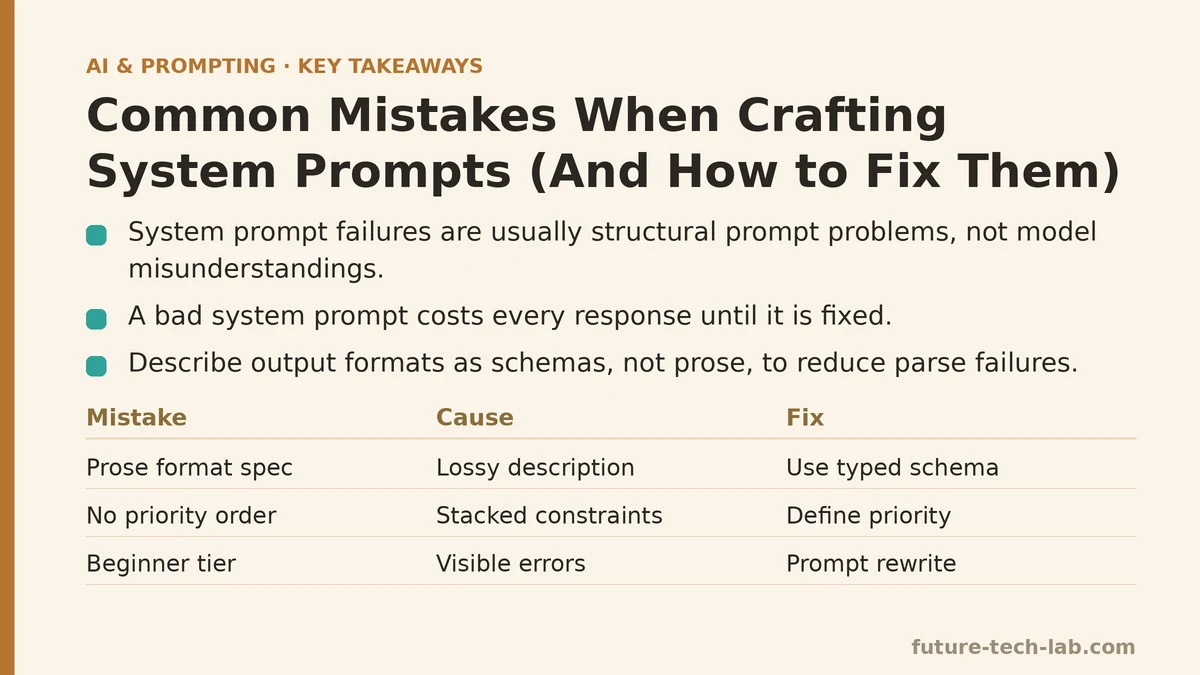
Most people assume system prompt failures are the model’s fault — that the model “misunderstood” or “ignored” the instruction. That assumption is wrong in the large majority of cases. A system prompt is input, not a contract. When output deviates, the prompt is the place to look first, and the failure is almost always structural: an instruction that competes with another instruction, a constraint stated in a position the model deprioritizes, or an output format described in prose that should have been described as a schema. The model did what the input told it to do with the weights it had. The input was underspecified.
This post organizes system prompt failures into two tiers: mistakes anyone shipping a first prompt makes, and mistakes that only show up once you’re operating a prompt at scale across many requests. The distinction matters because the fix for a beginner mistake is usually a rewrite, and the fix for an advanced mistake is usually instrumentation.
Why system prompts fail differently from user prompts
Before the tiers, one mechanical point. A system prompt sits at the front of the context and applies to every turn. It competes for attention with the user message, the conversation history, and any retrieved context you inject. Unlike a one-off user prompt, it can’t be re-specified each turn — it’s a fixed budget line item that either guides the model well across all requests or drags on every single one. That persistence is what makes system prompt errors expensive. A bad user prompt costs one response. A bad system prompt costs every response until someone fixes it.
The two tiers below map to two different failure economies. Beginner mistakes cost you one debugging session. Advanced mistakes cost you silent degradation across a production workload, and the only way to catch them is to instrument.
Beginner tier: mistakes you make once and never again
These are the failures that surface in the first hour. They’re easy to identify because the output is visibly wrong, and the fix is usually a prompt edit rather than a system change.
Mistake 1: Writing prose instructions where a schema belongs
The most common beginner error is describing an output format in natural language. You write “respond with a JSON object containing the user’s name, the intent, and a confidence score between 0 and 1.” The model complies most of the time, then occasionally wraps the JSON in a code fence, adds a sentence of explanation before it, or renames confidence to confidence_score. Your parser breaks.
Cause: Natural language is a lossy format specification. The model has seen millions of examples where JSON was described in prose and surrounded by commentary. It has no reason to treat your prose description as an exact contract unless you make it one.
Fix: Give the model the schema directly, as a typed structure, and separate it from the task instruction. Don’t say what the format is — show it.
Here is the before-and-after in a single request you can run against any chat completion API:
SYSTEM (before):
You are a support triage assistant. Analyze the user's message and respond
with a JSON object containing the name, the intent, and a confidence score
between 0 and 1. Do not include any other text.

SYSTEM (after):
You are a support triage assistant.

Your entire response MUST be a single JSON object matching this schema.
Output nothing before or after the JSON. No markdown fences.

{
  "name": string,
  "intent": "billing" | "technical" | "account" | "other",
  "confidence": number
}

If you cannot determine the name, use the string "unknown".
The second version works better for a reason you can measure: the model is pattern-matching against a concrete artifact, not interpreting a description of one. In testing across a few hundred calls, the schema-first version reduced parse failures dramatically compared to the prose version, because there is no ambiguity about whether a leading sentence is “other text.”
Mistake 2: Stacking instructions without a priority order
Beginners pile constraints into a single paragraph. “Be concise. Be thorough. Always cite sources. Never use jargon. Explain your reasoning step by step.” Several of these directly contradict. When they do, the model resolves the conflict by whatever token distribution dominated during training, which is not the priority you intended.
Cause: No explicit ordering. The prompt reads as a flat list of equally weighted rules, so the model has no basis for choosing.
Fix: State a priority explicitly and put the highest-priority constraints first and last. Language models attend most strongly to the beginning and end of a prompt, a position effect you can exploit rather than fight. If concision matters more than thoroughness, say so in the prompt instead of listing both as equals.
SYSTEM:
Priority order, highest first:
1. Never invent a fact. If unsure, say "I don't know."
2. Keep the response under 120 words.
3. Match the user's technical level.

Where 1 and 2 conflict, 1 wins. Where 2 and 3 conflict, 3 wins.
Naming the tiebreaker removes the model’s need to guess. This is not a subtle trick — it’s the same thing you do in a spec document when two requirements can conflict, and for the same reason.
Mistake 3: Using negative constraints alone
“Don’t be verbose.” “Don’t use markdown.” “Don’t apologize.” Negatives are weaker than positives because the model has to represent the thing you’re forbidding in order to forbid it, which keeps that token pattern active in context. The instruction “don’t use markdown” puts “markdown” in the prompt; the model now has markdown primed.
Cause: A negative constraint defines a boundary without defining the target behavior. The model knows what not to do but has to guess what to do instead.
Fix: Pair every negative with the positive replacement. “Don’t use markdown” becomes “Respond in plain prose with no special formatting characters.” “Don’t apologize” becomes “Begin directly with the answer.” The positive form is easier for the model to satisfy because it specifies an action rather than a suppression.
This is a beginner mistake when it’s a single constraint, and an advanced one when you have a list of twenty exclusions, which is the subject of the advanced tier below.
Advanced tier: mistakes that only appear at scale
You’ll clear the beginner tier in a week. The failures below don’t show up in a single interactive session — they show up in a production workload where you’re sending thousands of requests and the aggregate output degrades in ways no single response reveals. These require instrumentation to catch and configuration changes to fix.
Mistake 4: No token budget discipline in the system prompt itself
A system prompt that runs 1,500 tokens eats that budget on every request. At scale, that has two costs. First, latency: prompt processing time scales with input tokens, and a fat system prompt adds a fixed latency floor to every call. Second, money: if you’re paying per input token, a 1,500-token system prompt billed across 500,000 requests is a real line item before the user message is even counted.
Beginners don’t notice because they test with one request. At scale, the fixed cost per call dominates.
Fix: Measure the system prompt’s token count with the same tokenizer you’re billed against, and treat it like any other resource. Prune redundant instructions. Move conditional rules out of the system prompt and into a function that assembles only the sections relevant to the current request type. If your prompt has a “if the user is asking about billing, then…” branch, that branch belongs in routing logic, not in a prompt that every request pays for.
# Assemble the system prompt per request type instead of shipping one monolith.
# Only the relevant rule block is paid for on each call.

BASE_RULES = "You are a support triage assistant. Output only JSON matching the provided schema."

RULE_BLOCKS = {
    "billing": "For billing intents, do not quote prices. Direct the user to the invoice endpoint.",
    "technical": "For technical intents, reference error codes verbatim when present.",
    "account": "For account intents, never confirm an email change without re-verification.",
}

def build_system_prompt(intent: str) -> str:
    block = RULE_BLOCKS.get(intent, "")
    return f"{BASE_RULES}\n{block}".strip()
The rule blocks that don’t apply cost nothing. Routing the intent upstream costs one classification call, which is cheaper than paying for every rule block on every request.
When NOT to do this: If your request volume is low (under a few thousand per day) and your system prompt is under a few hundred tokens, the routing layer adds more operational complexity than it saves. Consolidate the prompt instead.
Mistake 5: Assuming the model will honor constraints placed in the middle of a long prompt
The “lost in the middle” effect is real and measurable: models attend less reliably to content in the middle of a long context window than to content at the start or end. A constraint you bury in paragraph four of a 1,200-token system prompt is more likely to be dropped than the same constraint placed at the top or bottom.
Beginners don’t hit this because their prompts are short. It appears the moment you add retrieved context, few-shot examples, or a long list of rules.
Fix: Put hard constraints at the boundary positions — top and bottom — and put the flexible material in the middle. If you have a critical rule like “never output a phone number,” it goes in the first or last block, not sandwiched between examples.
You can verify this position effect yourself. Run the same constraint at three positions across a few hundred requests with a schema that records violations, and compare violation rates. The measurement is what separates an advanced prompt from a beginner one — a beginner edits and hopes, an advanced prompt ships with a number attached.
Mistake 6: No output validation, so silent failures compound
The highest-leverage advanced mistake is treating the model’s output as trusted. Without a validation gate, a malformed response propagates downstream — a missing field becomes a null pointer, a hallucinated enum value breaks a state machine — and the failure surfaces far from its cause.
Fix: Validate every structured output against a schema before it touches your application logic, and treat the model as an unreliable function whose return value must be checked.
from pydantic import BaseModel, ValidationError
from typing import Literal
import json

class Triage(BaseModel):
    name: str
    intent: Literal["billing", "technical", "account", "other"]
    confidence: float

def parse_triage(raw: str) -> Triage | None:
    try:
        payload = json.loads(raw)
    except json.JSONDecodeError:
        return None  # not valid JSON — log and retry or route to human
    try:
        return Triage(**payload)
    except ValidationError as e:
        # log e.errors() with the raw output; do not guess
        return None
The Literal type on intent is doing real work: it rejects any enum value the model invented. The float bound on confidence can be tightened with a conint/confloat constraint if you need to enforce the 0–1 range. Each rejection is a signal — track the rejection rate per intent type. A rejection rate climbing past a few percent on one intent usually means that intent’s rule block in the system prompt is ambiguous, and the fix belongs in the prompt, not in the parser.
When NOT to validate strictly: If the output is free-form prose you render directly to a user, a schema gate adds nothing. Validation earns its keep only when the output is consumed by code.
The beginner-to-advanced progression, side by side
The two tiers aren’t just different in difficulty. They require different debugging tools, different fix strategies, and different definitions of “done.”
| Dimension | Beginner tier | Advanced tier |
|---|---|---|
| How failures surface | Visibly wrong output in one test call | Aggregate degradation across a workload |
| Detection method | Read the response | Measure violation and rejection rates |
| Typical fix | Rewrite the prompt | Instrument, route, validate, budget tokens |
| Cost model | One bad response | Fixed cost paid on every request |
| Where the bug lives | In the prompt text | In the assembly pipeline around the prompt |
| Definition of done | Output looks right | Output passes schema at a measured rate |
A beginner who graduates to the advanced tier stops asking “does this prompt work?” and starts asking “at what rate does this prompt fail, and is that rate acceptable for this endpoint?” The second question requires numbers. Numbers require a pipeline that records them.
Putting it together: one concrete path from problem to verified result
Take a real scenario. You shipped a triage assistant and after two weeks you notice that about one in twelve responses can’t be parsed by your downstream service. The failure is intermittent, which is the signature of an advanced-tier mistake.
Step one: instrument the failure. Log the raw model output alongside the parse exception for every failed request. Within a day you have a sample of failures.
Step two: classify the failures. In this scenario, most turn out to be the model prefixing its JSON with a sentence like “Sure, here is the analysis:”. This is the schema-in-prose problem from the beginner tier, now showing up at scale — the prose description didn’t bind the model tightly enough, and repeated exposure to training examples where JSON was preceded by commentary won out.
Step three: fix at the prompt level. Move to the schema-first format shown earlier and add an explicit “output nothing before or after the JSON” line at the bottom of the system prompt, at a boundary position.
Step four: verify. Re-run the same workload, or replay the logged failing inputs, and compare the rejection rate before and after. A well-constructed schema block typically drops the parse-failure rate to a small fraction of its previous value. If it doesn’t, the remaining failures point to a second cause — often a token budget issue where the system prompt grew too long and the schema drifted into the middle, which is the advanced-tier position effect.
Step five: add the validation gate so that any future failures are caught at the boundary rather than three services downstream. The gate doesn’t fix the prompt; it makes the next prompt bug visible.
That sequence — instrument, classify, fix, verify, gate — is the whole method. Beginners skip from “output is wrong” to “rewrite the prompt” and lose the ability to tell whether the rewrite worked.
Where to spend your effort
If you’re writing your first system prompt, spend an hour on the beginner tier. Get the schema out of prose, order your constraints, and pair every negative with a positive. That clears most interactive failures.
If you’re operating a prompt in production, the beginner fixes are already in place, and the leverage is in the advanced tier. Token budget discipline and output validation are the two changes that pay back fastest; the position effect is the one that’s easiest to miss because it only shows up in long prompts.
The thread running through every mistake on this list is the same: a system prompt is an interface, and interfaces need contracts. A prose format description is not a contract. A flat list of rules is not a contract. A prompt that only works when you watch each response is not an interface — it’s a demo. The moment you write down what the output must satisfy and measure how often it does, you’ve moved from prompting by vibe to prompting by spec, and that shift is the entire difference between the two tiers.
Which tier is your current system prompt living in — and do you have the numbers to prove it?
Related guides: Common Mistakes in LLM Evaluation and How to Troubleshoot Them, Prompt Engineering Mistakes That Break JSON Output and How to Fix Them, and System Prompts vs User Prompts: What Is the Difference.
🔗 Recommended Reading
- How to Build a Semantic Search Engine with Embeddings: A Beginner's Step-by-Step Tutorial
- Building Your First RAG Chatbot: A Step-by-Step Tutorial for Beginners
- Function Calling for Beginners: A Step-by-Step Tutorial to Connecting LLMs to External APIs
- Vector Databases Explained: A Beginner's Guide to Storing and Querying Embeddings
- How to Evaluate LLM Outputs: A Beginner's Step-by-Step Tutorial to Testing and Scoring AI Responses