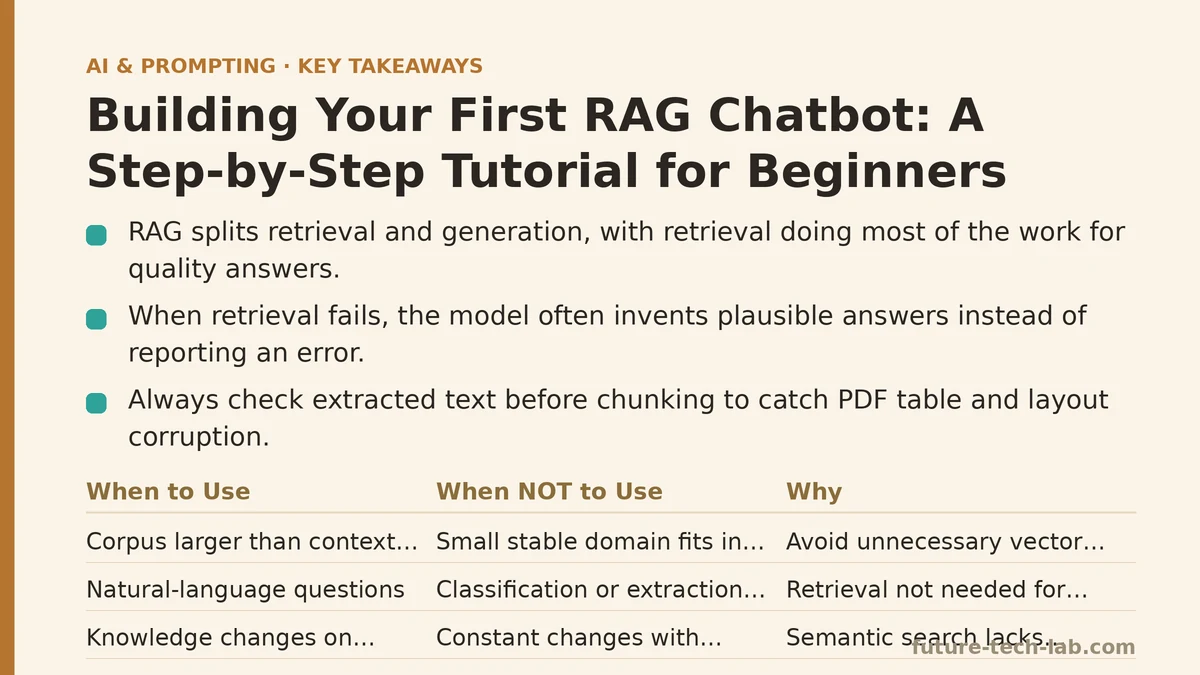
A language model that answers questions about your private documents is not a chatbot with a bigger context window. It is a search system bolted to a generator, and the search half does most of the work. When retrieval fails, the model does not return an error — it confidently writes a plausible answer that has nothing to do with the source you passed in. That single behavior explains the majority of complaints about RAG quality in production: the generator is rarely the culprit.
This tutorial walks through building a working RAG chatbot end to end. The structure is a checklist: for each stage you will see what a working version looks like, the symptom when it breaks, the cause, and the fix. If something in your build is misbehaving, you can jump to the matching section.
What RAG Is and When Not to Build It
Retrieval-augmented generation splits one hard problem into two easier ones:
- Retrieval — given a user question, find the most relevant passages from your corpus.
- Generation — given those passages, produce an answer grounded in them, ideally with citations.
The appeal is that you avoid fine-tuning a model on your data. The corpus stays external; you only swap what gets pasted into the prompt at query time. Updating knowledge means re-indexing documents, not retraining weights.
RAG is the wrong tool in several common situations. If your domain is small and stable — say, a 40-page internal policy manual — you can fit the whole thing in a large context window and skip vector search entirely. If your task is classification, extraction, or formatting rather than question answering, you do not need retrieval. And if your documents change constantly and correctness is critical, you may need a metadata-filtered database query instead of semantic search, because cosine similarity has no concept of “only documents published after the incident.”
As a rough rule: use RAG when the corpus is larger than a context window but smaller than a data warehouse, changes on a human timescale, and the questions are natural-language rather than exact-match lookups.
Stage 1: Document Ingestion — Checklist and Failure Modes
Working state: Every source file (PDF, Markdown, HTML, docx) has been converted to clean plain text, with headings and page numbers preserved as metadata.
Symptom: The chatbot answers questions about the first paragraph of every document accurately but fails on everything else. Or the model quotes a table as if it were prose and produces a jumbled answer.
Cause: Most PDF-to-text libraries extract in reading order per page, which is correct for prose and disastrous for tables, footnotes, and multi-column layouts. Text near a table can interleave with the table cells and produce nonsense that then gets embedded as a “fact.”
Fix: Check the raw text before you chunk it. Print the first 500 characters of each extracted document and read them. If you see columnar data flattened into a single line, either pre-process those pages separately (a second extraction pass for tables, or a manual review) or exclude them from the corpus and route those questions to a structured lookup instead.
The same check applies to headers and footers: page numbers and running titles get extracted as repeated text and pollute every chunk. Strip lines that repeat on more than 80% of pages in a document.
Stage 2: Chunking — The Decision That Determines Retrieval Quality
Working state: Each document is split into overlapping chunks of roughly 200 to 800 tokens, with headings attached to the chunk’s metadata.
Symptom: Retrieval returns a chunk that clearly contains the right topic but the model’s answer is incomplete — it misses the second half of a definition that got cut off at a chunk boundary.
Cause: Chunk size is too small, or chunk boundaries don’t respect semantic units. A fixed 200-token window splits mid-sentence, and the embedding of the fragment no longer represents the full idea.
Fix: Two knobs matter — chunk size and overlap. A reasonable starting point for prose is 500 tokens with 50 to 100 tokens of overlap. The overlap ensures a boundary-straddling idea appears complete in at least one chunk. For structured documents (API references, product catalogs), chunk by heading instead of by token count: each section becomes one chunk, however long.
There is a real trade-off. Larger chunks preserve context but dilute the embedding — the vector becomes an average of several ideas, and similarity search loses precision. Smaller chunks embed precisely but lose surrounding context. The heuristic is: chunk to the smallest unit that is still self-contained. A definition is self-contained; half a definition is not.
Here is a minimal chunking implementation in Python using tiktoken for token counting:
import tiktoken
from typing import List, Dict

enc = tiktoken.get_encoding("cl100k_base")

def chunk_text(text: str, chunk_tokens: int = 500, overlap_tokens: int = 80) -> List[Dict]:
    tokens = enc.encode(text)
    chunks = []
    start = 0
    while start < len(tokens):
        end = min(start + chunk_tokens, len(tokens))
        chunk_str = enc.decode(tokens[start:end])
        chunks.append({
            "text": chunk_str,
            "token_count": end - start,
            "start_token": start,
        })
        if end == len(tokens):
            break
        start = end - overlap_tokens
    return chunks

if __name__ == "__main__":
    with open("sample.txt", encoding="utf-8") as f:
        raw = f.read()
    for i, c in enumerate(chunk_text(raw)):
        print(f"--- chunk {i} ({c['token_count']} tokens) ---")
        print(c["text"][:200])
Note that this splits on token boundaries, not sentence boundaries. For production, add a sentence-splitter pass first (spaCy, NLTK, or a simple regex on [.!?]\s) and build chunks from whole sentences. That single change typically improves retrieval precision on prose corpora more than any embedding model upgrade.
Stage 3: Embedding and Storage — Symptom-Driven Debugging
Working state: Every chunk is embedded once, stored in a vector index alongside its text and metadata (source file, heading, page).
Symptom: Search returns the same three chunks for every question, regardless of topic.
Cause: Embedding the wrong field. A common mistake is embedding the chunk text twice — once with a document prefix and once without — or embedding the heading separately and storing two vectors per chunk without distinguishing them. Another common cause is an empty or whitespace-only embedding, which collapses to a degenerate vector that sits near the center of the space and matches everything weakly.
Fix: Store exactly one vector per chunk, computed from the full chunk text. Log the vector norm at ingest time; a norm near zero usually means the input was empty or nearly empty.
Model choice matters less than people expect. The differences between popular open embedding models on typical English prose are small enough that a well-chunked corpus with a mid-tier model will beat a badly-chunked corpus with the best model. Pick a model, keep it consistent between ingest and query, and move on.
Symptom: Retrieval works for short queries but fails for long, multi-clause ones.
Cause: Embedding a long query produces a vector that averages all its clauses. If the user asks “what’s the refund window and do digital purchases qualify?” the resulting vector is split between two topics and may match neither well.
Fix: For long queries, either split into sub-queries and merge results, or use a query-rewriting step with a small LLM that produces a search-optimized version. A rewriting prompt like “Rewrite this question as a short search query using the key nouns and terms” costs one cheap inference call and often doubles recall on verbose input.
Stage 4: Retrieval — The Stage Worth Tuning First
Working state: Given a query, the index returns the top-k chunks ranked by similarity, optionally filtered by metadata.
Symptom: The correct chunk exists in the index but never appears in the top results.
Cause: Two causes dominate. First, top-k is too small — with k=3, a chunk ranked fourth is invisible. Second, similarity is high for lexically overlapping but semantically unrelated passages (a common problem when documents share boilerplate).
Fix: Raise k to 10 for the recall stage, then re-rank. Re-ranking with a cross-encoder model scores each retrieved chunk against the query jointly rather than independently, which is more accurate but slower. A typical setup is: retrieve 20 candidates with the fast vector search, re-rank to the top 4, pass those to the generator.
The table below summarizes when each retrieval strategy is appropriate.
| Strategy | Latency | Accuracy on paraphrase | When to use | When to avoid |
|---|---|---|---|---|
| Pure vector (dense) | Low | High | Natural-language questions, concept search | Exact-match lookups (error codes, SKUs) |
| Keyword (BM25) | Very low | Low | Proper nouns, identifiers, rare terms | Vague or conversational queries |
| Hybrid (BM25 + vector, reciprocal rank fusion) | Medium | High | Most production corpora | Very small corpora where one method already wins |
| Vector + cross-encoder re-rank | High | Highest | Precision-critical answers | Latency-sensitive chat, or tight budget |
Hybrid retrieval is the safest default. Dense vectors handle paraphrase; BM25 handles the exact identifiers that vectors blur. Fusing the two ranked lists with reciprocal rank fusion typically improves recall over either method alone on mixed corpora, and it does not require tuning a weighting coefficient.
Metadata filtering is also under-used. If your chunks carry a source or date field, restrict the search to the relevant subset before similarity runs. Filtering before search is faster and more accurate than filtering after.
Stage 5: Generation and Prompt Construction
Working state: The retrieved chunks are pasted into a prompt with an explicit instruction to answer only from them, and the model returns a grounded answer with source attribution.
Symptom: The model answers from its own training knowledge when the retrieved chunks don’t contain the answer, and does not say so.
Cause: The prompt lacks a fallback instruction. Large models default to being helpful, which means inventing an answer is often preferred over admitting ignorance.
Fix: Give an explicit out. A working prompt pattern:
You are a support assistant. Answer the user's question using ONLY the
context below. If the context does not contain the answer, reply exactly:
"I couldn't find that in the provided documents."

For each factual claim in your answer, cite the source filename in brackets,
like [policy.pdf].

Context:
---
{retrieved_chunks}
---

Question: {user_question}
The exact escape phrase matters less than having one, and citing each claim forces the model to attribute rather than blend. This is the same principle behind structured prompting — name the operation and the constraints instead of describing a topic.
Symptom: Answers are correct but verbose, repeating the whole chunk back to the user.
Cause: No length or format constraint. The generator pads because nothing tells it not to.
Fix: State the expected length and shape in the prompt. “Answer in two to three sentences” or “Use a bulleted list if the answer has more than one part.” This is one sentence of prompt overhead and typically eliminates an entire round of user follow-up.
A Minimal Working Pipeline
The following script ties the stages together: ingest a directory, chunk, embed, store in a local index, and query. It uses sentence-transformers for embeddings and a simple in-memory cosine index so nothing external is required to run it.
import os, glob, numpy as np
from sentence_transformers import SentenceTransformer
from your_chunker import chunk_text  # the chunk_text function from Stage 2

model = SentenceTransformer("all-MiniLM-L6-v2")

def build_index(docs_dir: str):
    chunks = []
    for path in glob.glob(os.path.join(docs_dir, "**", "*.txt"), recursive=True):
        with open(path, encoding="utf-8") as f:
            for c in chunk_text(f.read()):
                c["source"] = os.path.basename(path)
                chunks.append(c)
    texts = [c["text"] for c in chunks]
    vectors = model.encode(texts, normalize_embeddings=True)
    return chunks, np.array(vectors)

def search(query: str, chunks, vectors, k: int = 5):
    q = model.encode([query], normalize_embeddings=True)[0]
    scores = vectors @ q
    order = np.argsort(-scores)[:k]
    return [(chunks[i], float(scores[i])) for i in order]

if __name__ == "__main__":
    chunks, vectors = build_index("./docs")
    print(f"Indexed {len(chunks)} chunks.")
    for chunk, score in search("What is the refund window?", chunks, vectors):
        print(f"[{score:.3f}] {chunk['source']} :: {chunk['text'][:120]}")
Verify the result by checking three things: that the printed scores for a relevant query are noticeably higher than a nonsense query, that the returned chunks come from the expected source files, and that the context window you pass to the generator contains no more than roughly 3,000 tokens of retrieved text. If a score for a clearly relevant query comes back below the top score for an unrelated query, your chunking or embedding stage is the problem, not your LLM.
Common Failure Modes at a Glance
| Symptom | Likely cause | Fix |
|---|---|---|
| Confident wrong answers | Retrieval returned nothing useful; no fallback in prompt | Add explicit “not in context” instruction |
| Same chunks for every query | Empty or degenerate embeddings; wrong field embedded | Log vector norms; re-embed chunk text only |
| Right topic, incomplete answer | Chunk too small or split mid-idea | Raise chunk size; add overlap; split by sentence |
| Good chunk never retrieved | Top-k too low; synonym gap | Raise k to 10-20; add BM25 hybrid; re-rank |
| Long queries return junk | Query averaged across topics | Rewrite query; split into sub-queries |
| Repeated boilerplate in answers | Headers, footers embedded as content | Strip repeating lines before chunking |
| Answers too long | No format constraint in prompt | Specify sentence or bullet count |
When Not to Reach for RAG
If your questions are exact lookups — “what is the status of ticket 4821” — a SQL query beats a vector index every time, and the accuracy is deterministic rather than probabilistic. If your corpus is under roughly 20,000 tokens and static, paste it into the prompt and skip the entire retrieval stack. And if you need multi-hop reasoning across many documents with strict provenance, plain top-k retrieval will struggle; you will need an agent loop that plans which documents to read and in what order, which is a substantially more complex build.
The honest trade-off of RAG is this: you swap a training problem for an operations problem. You no longer fine-tune, but you now maintain a chunking pipeline, an index, an embedding model version pin, and a re-ranker. For corpora that change weekly, that maintenance cost is usually worth paying. For a frozen FAQ page, it is not.
Before reaching for a framework, build the pipeline above by hand. Every RAG framework you might adopt afterward is doing some version of these five stages, and when retrieval misbehaves in production, the debugging lands back in chunking, embedding, and prompt construction — not in the framework’s public API.
🔗 Recommended Reading
- Function Calling for Beginners: A Step-by-Step Tutorial to Connecting LLMs to External APIs
- Vector Databases Explained: A Beginner's Guide to Storing and Querying Embeddings
- How to Evaluate LLM Outputs: A Beginner's Step-by-Step Tutorial to Testing and Scoring AI Responses
- LLM Guardrails for Beginners: A Step-by-Step Tutorial to Filtering Unsafe Outputs
- Building Your First AI Agent: A Beginner Tutorial with Python and the OpenAI API