Most people rewrite the same handful of prompts from scratch every single week, and the average one takes about ninety seconds to type out. That sounds trivial until you multiply it across a year: dozens of hours spent re-explaining context the model already needed the last time you asked something nearly identical. A small library of reusable templates removes almost all of that overhead, and it’s a far bigger productivity gain than most people expect from something this mechanically simple.
Below is a set of templates I actually keep saved in a text file, organized around the questions people tend to ask when they start building their own set.
What makes a prompt “reusable” instead of one-off?
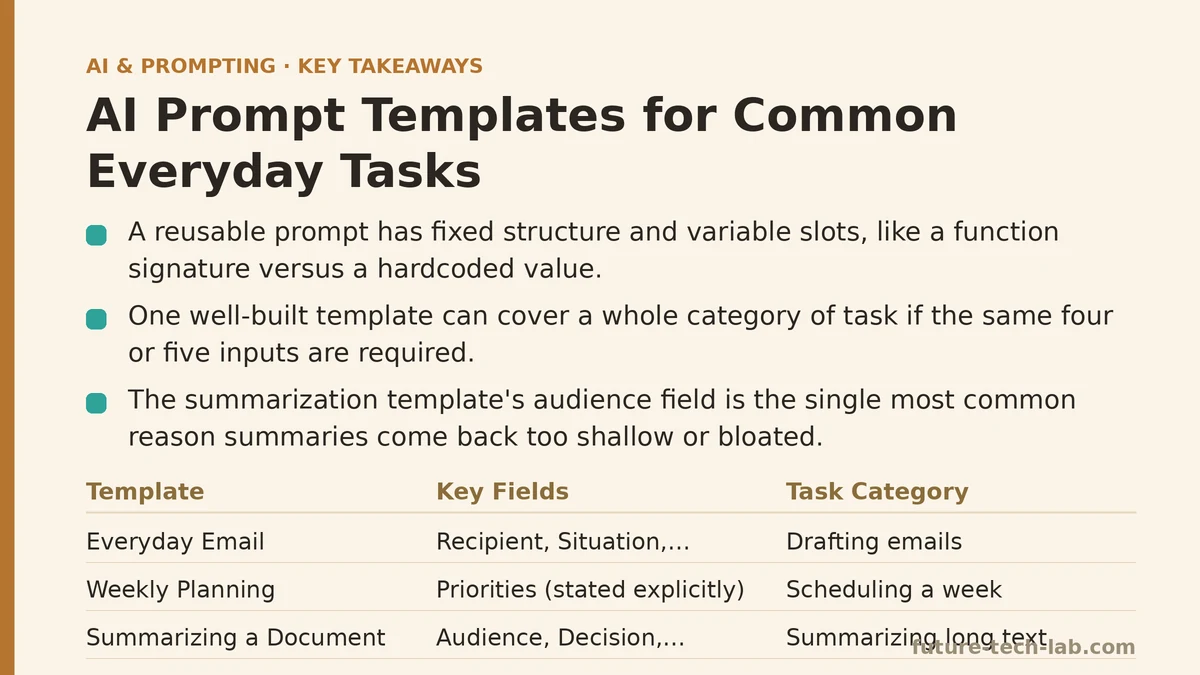
A reusable prompt has fixed structure and variable slots — think of it like a function signature versus a hardcoded value. Instead of writing “write an email to my landlord about the broken heater,” you write a template with placeholders: [RECIPIENT], [SITUATION], [DESIRED OUTCOME], [TONE]. You fill in the brackets each time, but the scaffolding — the part that tells the model how to weigh those inputs — stays constant.
This matters because the scaffolding is the part that took iteration to get right. Once you’ve tested a template across a handful of real cases and confirmed it produces usable output, you’ve essentially compiled your prompt engineering into something you can call repeatedly without re-deriving it.
Do I need a different template for every task, or can one template cover a category?
One well-built template usually covers an entire category of task, not just a single instance. The email template above works for a landlord, a client, or a coworker — the variables change, the underlying request pattern doesn’t. Where you do need separate templates is across categories with genuinely different output shapes: a template built for drafting emails won’t transfer cleanly to summarizing a document, because the constraints that matter (tone, length, structure) are different for each.
A practical rule: if two tasks would require the same four or five pieces of information to execute well, one template can serve both. If the required inputs diverge, split them.
Template: Everyday Email
Write an email to [RECIPIENT/ROLE] about [SITUATION].
My goal is [DESIRED OUTCOME].
Tone: [formal / casual / firm but polite].
Length: [2-3 sentences / one short paragraph / full paragraph].
Include: [any specific detail that must appear].
Avoid: [anything the email should not do — e.g., over-apologizing, sounding demanding].
Example filled in: “Write an email to my apartment building’s maintenance office about a heater that’s been out for three days. My goal is to get a repair scheduled this week. Tone: firm but polite. Length: one short paragraph. Include: the unit number and that you’ve already submitted one request with no response. Avoid: sounding accusatory.”
The bracketed fields map directly onto the four-part structure — context, task, format, constraints — that tends to produce well-targeted output regardless of the specific request.
Template: Weekly Planning
I have the following tasks this week: [LIST TASKS].
My priorities, in order, are: [PRIORITY 1, PRIORITY 2, PRIORITY 3].
I have [X] hours available on [DAYS].
Build a schedule that fits these tasks into the available time, respecting my stated priorities.
Format as a table with columns: Day, Time Block, Task.
This one earns its keep specifically because it forces you to state priorities explicitly before the model touches the schedule. Skip that step and the model has to guess which tasks matter most, which usually means it just preserves the order you listed them in — an arbitrary signal you never intended it to read as significant.
Template: Summarizing a Long Document
Summarize the following text for a reader who is [AUDIENCE — e.g., "not familiar with the technical background," "already an expert looking for the key changes only"].
Length: [X sentences / X bullet points].
Focus on: [what should be prioritized — decisions made, numbers, action items, etc.].
Exclude: [anything irrelevant to the audience — background explanation, tangents, etc.].

Text: [PASTE TEXT]
The audience field does most of the work here. A summary aimed at someone who needs full context reads completely differently from one aimed at someone who just needs the decision and the deadline. Skipping this field is the single most common reason summarization prompts come back either too shallow or bloated with detail nobody asked for.
Why do templates degrade over time, and what should I do about it?
Templates drift the same way any cached artifact drifts: the underlying model gets updated, your use case shifts slightly, or you notice an edge case the original version never accounted for. A template that produced sharp output in January can start producing slightly-off results by summer, not because it broke, but because the conditions it was built for shifted underneath it.
Treat your template library like code you maintain, not a document you write once and forget. When a template starts producing weaker output than you remember, don’t just tolerate the drift — open it up, run a quick iteration pass (same loop as testing any prompt: run it, spot the gap, patch the specific field responsible), and save the revised version. A template file with a “last updated” habit attached to it stays useful for years. One you never revisit quietly stops earning its keep.
Should templates be more rigid or more flexible?
Somewhere in between, and the right balance depends on how repeatable the task is. A template that’s too rigid — every field mandatory, every phrase locked — breaks the moment a task doesn’t quite fit its assumptions, and you end up fighting the template instead of using it. One that’s too loose barely qualifies as a template at all; it’s just a vague reminder of a topic, closer to the underspecified prompts that produce generic output in the first place.
The templates above intentionally leave some brackets optional. The email template doesn’t require “Include” or “Avoid” — for a routine, low-stakes email, you can drop straight past them. For anything with real stakes attached — a client relationship, a difficult conversation — fill in every field. Latency in typing out two extra lines is cheap; a poorly targeted email to an actual client is not.
Table: Quick Reference for Which Template to Reach For
| Situation | Template | Field That Matters Most |
|---|---|---|
| Sending a message to someone | Everyday Email | Tone |
| Organizing a busy week | Weekly Planning | Priorities, stated explicitly |
| Condensing a long document | Summarizing a Long Document | Audience |
| Any task not covered above | Build from the four-part structure directly | Whichever field you’d normally skip |
That last row matters more than it looks. The moment you hit a task with no pre-built template, fall back to the general structure — context, task, format, constraints — and you’ll usually land on something usable within one or two edits, without needing to start from a blank page.
Save whichever of these you end up using more than twice. The second time you reach for a prompt is the signal that it’s worth turning into a permanent template rather than retyping from memory a third time. Related guides: Prompt Engineering for Healthcare: Clinical Documentation and Patient Communication, Prompt Versioning: How to Track and Manage Changes to Your AI Prompts Over Time, and Meta-Prompting: Using AI to Write and Optimize Your Own Prompts.
🔗 Recommended Reading
- How to Build a Semantic Search Engine with Embeddings: A Beginner's Step-by-Step Tutorial
- Building Your First RAG Chatbot: A Step-by-Step Tutorial for Beginners
- Function Calling for Beginners: A Step-by-Step Tutorial to Connecting LLMs to External APIs
- Vector Databases Explained: A Beginner's Guide to Storing and Querying Embeddings
- How to Evaluate LLM Outputs: A Beginner's Step-by-Step Tutorial to Testing and Scoring AI Responses